

Parking in busy city centers can be very stressful. Drivers often worry about finding a machine. They also fear getting a ticket for overstay. The Ringo app offers a modern solution to this problem. It lets you pay for parking directly from your phone. You do not need coins or paper tickets anymore. Many people ask what is the Ringo app exactly. It is a digital platform for managing street parking. This guide explains how it works in simple terms.
You will learn how to set up your account. We cover the steps for starting a session. You will see how to extend time remotely. The process is designed to be quick and easy. We also discuss common issues users may face. Understanding the rules helps you avoid fines. Read on to master this useful parking tool. You can save time and reduce hassle today.
Understanding the Core Purpose of Ringo
The main goal of the app is convenience. It replaces traditional physical parking meters. Users register their vehicle details once. Then they can pay for any supported zone. The app tracks your parking time accurately. It sends reminders before your session ends. This prevents unexpected penalty charges. It makes urban driving much less stressful.
Ringo works with local councils and authorities. Not every street uses this specific system. You must check signs for the Ringo logo. These signs indicate that digital payment is accepted. The app covers many towns across the UK. It is becoming more popular each year. Using it supports efficient traffic management. It also reduces paper waste from tickets.
Setting Up Your Account and Vehicle
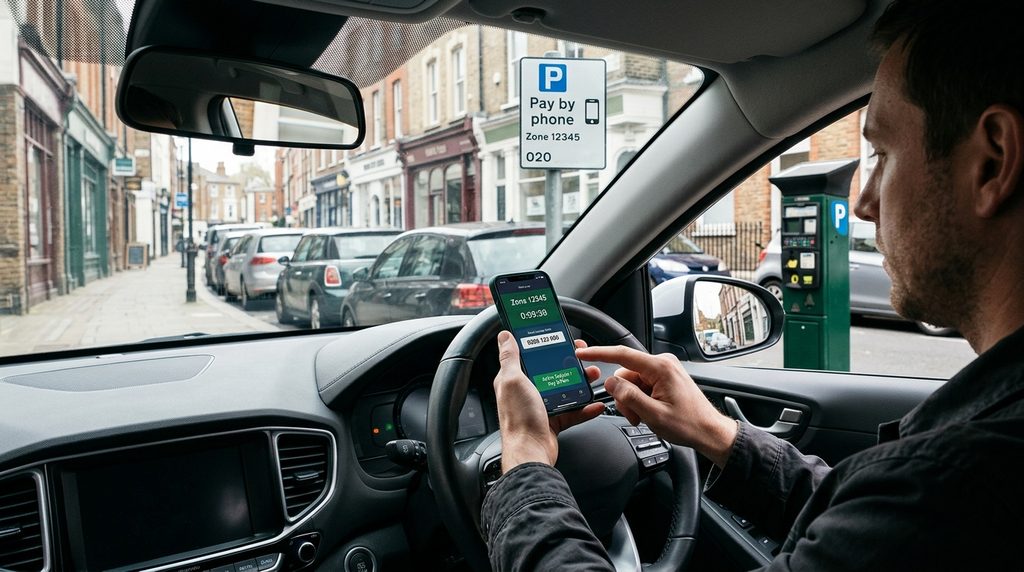
Download the Ringo app from your device store. It is available for both iOS and Android phones. Open the app and click the sign-up button. You will need to provide an email address. Create a secure password for your account. Verify your email by clicking the link sent. This step confirms that you are a real person. It helps keep the system secure for everyone.
Next, you should add your vehicle details. Enter your license plate number carefully. Double-check for typos to avoid errors. You can add multiple cars to one account. This is useful for families with several vehicles. Select the correct car before starting a session. The app saves these details for future use. You do not need to re-enter them each time. This speeds up the parking process significantly.
How to Start a Parking Session
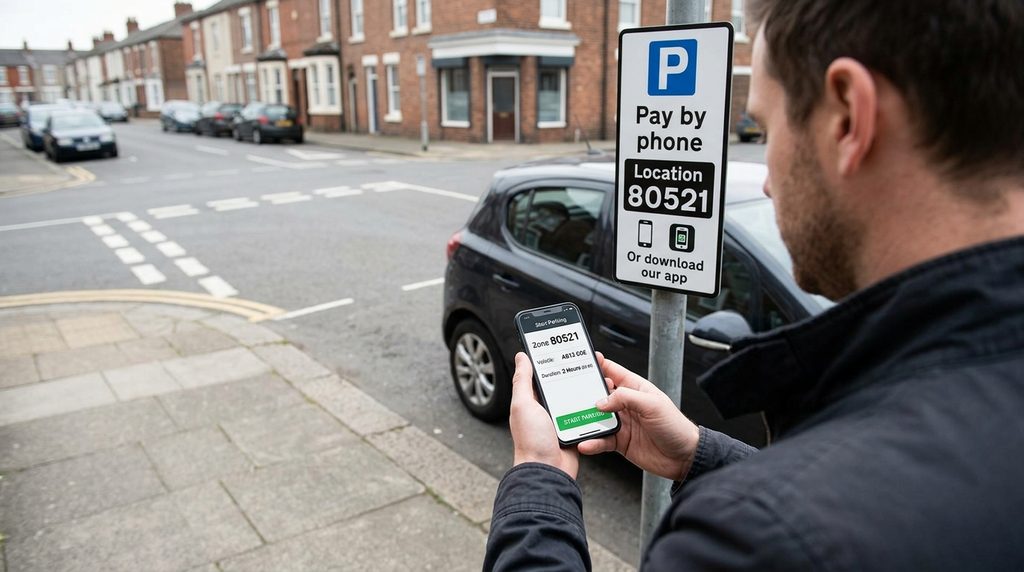
Find a parking spot in a supported zone. Look for the Ringo sign on the street. Open the app on your smartphone immediately. The home screen shows a start button clearly. Tap it to begin a new parking session. The app may ask for your location permission. Allow this so it finds the correct zone. Select your vehicle from the saved list.
Choose the amount of time you need. You can pick standard increments like one hour. Or you can set a custom duration. Confirm the payment method linked to your account. The app charges your card automatically. You receive a confirmation screen instantly. This acts as your digital proof of payment. Keep your phone handy for any checks. Enforcement officers can see your status digitally.
Extending Time and Managing Sessions
One major benefit is remote extension. You do not need to return to your car. If you are running late, open the app. Find your active session in the menu. Tap the option to add more time. Choose the extra minutes or hours needed. The app calculates the new cost immediately. Confirm the payment to update the session. This feature saves you from rushing back.
You can also stop a session early. If you finish your errands quickly, end it. Tap the stop button in the active session view. The app refunds the unused portion of money. This ensures you only pay for what you use. It is fairer than fixed-time tickets. Check your history to track spending habits. This helps you budget for future trips. Managing sessions is simple and intuitive.
Troubleshooting Common App Issues
Sometimes the Ringo app may not work. Users often ask if the Ringo app is down. Check online status pages for service alerts. Major outages affect many people at once. If only you have issues, check your internet. Switch between Wi-Fi and mobile data to test. A weak signal can cause loading failures. Restarting your phone often fixes minor glitches. This simple step clears temporary software errors.
Login problems are another common complaint. Ensure you enter the correct password. Too many wrong attempts may lock you out. Wait for the timer to reset before trying. Update your app to the latest version available. Old versions may have compatibility bugs. Clear the app cache if problems persist. This removes corrupted temporary files safely. Contact support if nothing else works for you.
Safety Tips and Best Practices
Always double-check your license plate number. Entering the wrong plate voids your payment. You could still get a penalty charge notice. Take a screenshot of your active session. This serves as backup proof if needed. Note the start time and zone code. Keep this record until you leave the area. It protects you against system errors.
Be aware of maximum stay limits. Some zones have strict time restrictions. Extending beyond the limit is not allowed. You must move your car after the max time. The app will not let you break this rule. Respect local parking regulations at all times. Do not rely solely on the app for rules. Read the physical signs on the street carefully. They contain important legal information for drivers.

Frequently Asked Questions
Is the Ringo app free to download and use?
Yes, downloading the app is completely free. There are no subscription fees for basic use. You only pay for the parking time itself. Standard network charges may apply for data. But the service does not charge extra fees. This makes it affordable for occasional users. Registering your account costs nothing at all. It is a cost-effective way to manage parking.
What happens if I forget to start a session?
If you forget, you risk a penalty charge. Enforcement officers patrol areas regularly. They check plates against the digital database. No entry means you are parked illegally. You cannot backdate a session in the app. Always start the timer before walking away. Set a reminder on your phone if needed. Making it a habit prevents costly mistakes.
Can I use the Ringo app for private car parks?
No, the app is for on-street parking only. It works with local council jurisdictions. Private car parks have their own systems. They may use different apps or machines. Always check the specific operator for that lot. Using Ringo in a private lot will not work. You may still get charged by the owner. Stick to public streets with Ringo signs.
How do I know if my area supports Ringo?
Look for blue signs on the street lamps. These signs display the Ringo logo clearly. They also show the zone code for reference. You can check the app map feature too. It highlights supported areas in your city. If no signs are present, do not use it. Assume traditional rules apply in those spots. When in doubt, ask a local authority office.
Why is my payment failing in the app?
Check your linked card details first. Ensure the card has not expired. Verify that you have sufficient funds. Sometimes banks block unusual transactions. Contact your bank if the issue persists. Try removing and re-adding the card. Ensure your billing address matches the bank records. Technical glitches can also cause temporary failures. Try again after a few minutes.
Can I get a refund for unused time?
Yes, the app allows early session termination. Stop the session via the active menu. The system calculates the unused portion automatically. You receive a refund for that time. It may take a few days to appear. Check your bank statement for the credit. Refunds are not instant but are guaranteed. This policy ensures fair pricing for all users.
Final Thoughts
The Ringo app simplifies urban parking significantly. It removes the need for loose change. You can manage time from anywhere easily. Understanding its features helps you avoid fines. Use the troubleshooting tips when issues arise. Keeping the app updated ensures smooth performance. Security should always be your top priority. Protect your login details and payment info.
Stay informed about local parking rule changes. Official council websites provide accurate information. Do not rely only on the app for laws. Mastering the tool takes a little practice. Soon, you will use it without thinking. Your driving experience improves with less stress. Take advantage of the remote extension feature. It saves time and gives you peace of mind.
Disclaimer
This article is for general information purposes only. It was written with AI assistance to provide clarity. App features and parking rules change frequently. This content may not cover every specific situation. Readers should check the official Ringo website for current details. Always verify local signage before parking your vehicle.