

Privacy is very important when we talk to friends online. Many apps collect data about who you speak with. The Signal app offers a different way to stay private. It focuses on keeping your messages secret from others. This makes it a popular choice for many people today. You might wonder if it is right for you. Understanding its features helps you decide if it fits your needs.
This guide will explain how to use the Signal app easily. We will cover how to set it up on your phone. You will learn about its security features in simple terms. We also address common questions about safety and scams. By the end, you will know how to chat with confidence. Let us explore this secure messaging tool together. It is designed to be simple for everyone to use.
What Is the Signal App and How It Works
The Signal app is a free messaging application for phones. It lets you send texts, photos, and make calls. Unlike other apps, it does not store your messages. Everything stays on your device and the receiver’s device. This means no company can read your private chats. It uses a special method called end-to-end encryption. This locks your data so only you and your friend have the key.
You need a phone number to create an account. The app connects you with others who also use it. It works on both Android and iPhone devices easily. You can also use it on your computer through a link. The interface is clean and simple to navigate. There are no ads or trackers slowing it down. This focus on privacy makes it stand out from competitors.

Who Owns the Signal App and Why It Matters
Many people ask who owns the Signal app today. It is owned by a non-profit organization called the Signal Foundation. This group was started by Brian Acton and Moxie Marlinspike. They created it to protect user privacy without making profit. Since it is a non-profit, they do not sell your data. This structure builds trust among users who value independence. You do not have to worry about corporate interests influencing your chats.
Funding comes from donations and grants rather than ads. This allows them to focus solely on security improvements. They publish their code so experts can check it. This transparency ensures there are no hidden backdoors. Many security researchers recommend Signal for this reason. Knowing who runs the app helps you feel safer using it. It is built for public benefit rather than private gain.
Understanding End-to-End Encryption Simply
Encryption sounds complex but it is actually quite simple. Imagine sending a letter in a locked box. Only the person with the key can open it. Signal uses digital keys that are unique to each chat. Even if someone intercepts the message, they cannot read it. The server that sends the message does not have the key. This protects your words from hackers and spies alike.
The signal app end-to-end encryption happens automatically. You do not need to turn it on or configure it. Every message, call, and file is protected by default. This ensures that your privacy is always active. It is one of the strongest security standards available today. Governments and criminals cannot easily access these locked messages. This technology keeps your personal life truly personal and safe.

How to Download and Set Up Your Account
To start, you need to download the app on your phone. Android users can find it on the Google Play Store. iPhone users should look in the Apple App Store. Search for Signal and check for the blue icon. Make sure it is the official version before installing. The download is free and takes only a few moments. Open the app once the installation is complete.
You will need to verify your phone number next. Enter your number and wait for a text code. Type the code into the app to confirm identity. Then, create a profile name and add a photo. You can choose to share your profile with contacts. The app will ask for permission to access contacts. This helps you find friends who already use Signal easily.
Key Features for Safe and Private Chatting
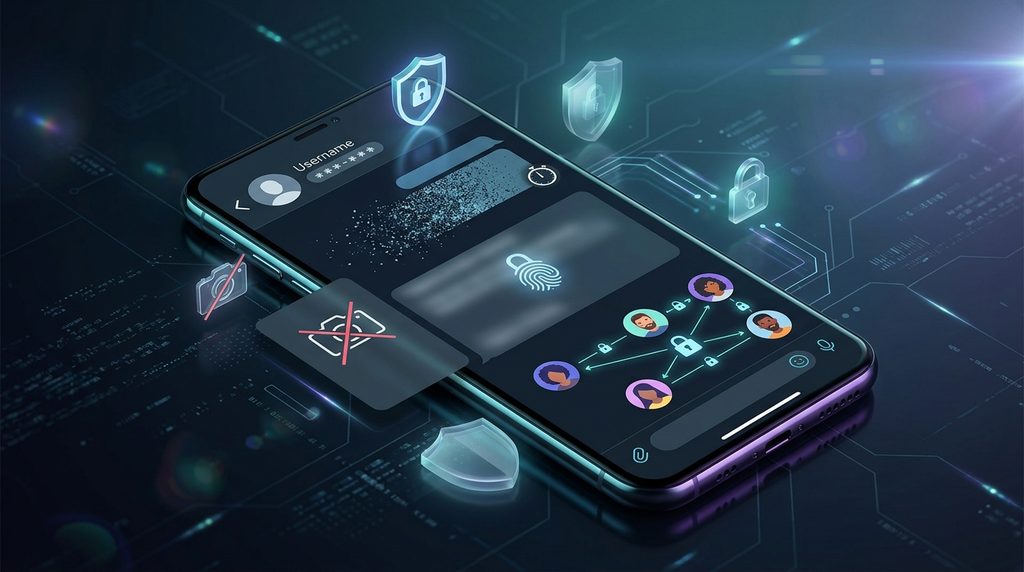
Signal offers several tools to enhance your privacy. One useful feature is disappearing messages. You can set a timer for chats to delete themselves. This keeps your history clean and private automatically. Another feature is screen security. It prevents others from taking screenshots of your chats. This adds an extra layer of protection for sensitive talks.
You can also hide your phone number from strangers. The app allows you to use a username instead. This means people can message you without seeing your number. It helps keep your personal contact info private. Group chats are also encrypted and secure fully. You can control who adds you to groups too. These features give you full control over your digital presence.
Common Concerns About Scams and Safety
Some people worry about signal app scams occurring. While the app itself is secure, users can still be tricked. Scammers may pretend to be someone you know. They might ask for money or personal details urgently. Always verify the identity of the person messaging you. Do not click on suspicious links sent by strangers. The app cannot protect you from social engineering tricks.
It is important to know that scammers use many apps. Signal is not specifically made for scamming activities. However, its privacy features can attract bad actors too. Be cautious when talking to people you do not know. Never share passwords or financial info through chat. If something feels wrong, stop the conversation immediately. Report suspicious accounts to help keep the community safe.
Troubleshooting When the App Is Not Working
Sometimes users face issues with the app functioning. If the signal app is down, check your internet connection. Weak Wi-Fi or data can cause delays in messages. Restarting your phone often fixes minor glitches quickly. Ensure your app is updated to the latest version. Old versions may have bugs that affect performance. Check the app store for any available updates now.
If messages fail to send, check the recipient’s status. They might have lost internet access or deleted the app. You can also try clearing the app cache. Go to your phone settings and find Signal storage. Clearing temporary files can resolve loading issues. If problems persist, contact Signal support for help. They provide guides for common technical problems online.
Frequently Asked Questions
Is the Signal app safe for daily use?
Yes, the Signal app is considered very safe for most users. Its encryption protocol is widely respected by experts. It does not collect metadata about your conversations. This means it knows very little about your activity. However, no system is completely immune to all threats. Keep your device secure with strong passwords always. Use common sense when sharing sensitive information.
Can I use the Signal app on my PC?
Yes, you can use the Signal app for pc easily. You need to link it to your phone first. Open the desktop app and scan the QR code. Your phone must be connected to the internet initially. Once linked, you can chat from your computer. Messages sync between your phone and desktop seamlessly. This makes it convenient for work or home use.
Do scammers use the Signal app frequently?
Scammers may use Signal because it is popular and private. However, they also use many other platforms equally. The app itself does not encourage illegal activities. It provides tools for privacy, not anonymity for crime. Users should remain vigilant against suspicious requests. Verify identities before trusting new contacts online. Reporting abuse helps maintain a safer environment for everyone.
What happens if I lose my phone?
Your messages are stored on your device, not the cloud. If you lose your phone, your chats are gone. You cannot recover them without a backup. Signal allows local backups on Android devices. iOS users have limited backup options currently. Registering a new number will start fresh. This design prioritizes privacy over data recovery convenience. Keep your phone physically secure at all times.
Is there a crypto signal app feature inside?
No, Signal does not have built-in crypto trading features. It is strictly a communication tool for messaging. Some groups may discuss cryptocurrency topics privately. But the app does not provide trading signals or wallets. Be wary of groups promising financial gains through chat. These are often scams targeting inexperienced investors. Stick to using the app for personal communication only.
How do I know if the app is down today?
You can check official Signal status pages online. Social media channels often post updates during outages. Try sending a message to see if it fails. If it fails for everyone, the service might be down. Sometimes it is just your internet connection causing issues. Restarting your router can help determine the cause. Most outages are resolved quickly by the technical team.
Final Thoughts
The Signal app offers a strong solution for private chatting. Its focus on security and simplicity makes it appealing. You can communicate with friends without worrying about data collection. Understanding its features helps you use it effectively. Remember that safety also depends on your own habits. Be careful with who you trust and what you share. Technology is a tool, not a magic shield.
Start using Signal to take control of your privacy. Invite your friends to join you on the platform. The more people use it, the more useful it becomes. Keep your app updated and your device secure. Enjoy the peace of mind that comes with encryption. Your conversations deserve to remain private and personal. Take the first step toward safer digital communication today.
Disclaimer
This article is for general information purposes only. It was written with AI assistance to help guide you. Information about app features may change over time. This guide may not cover every specific security scenario. Readers should check official Signal sources for current details. Always verify the identity of people you chat with. Do not rely solely on this text for legal or security advice.