

The NHS App online service can make many health tasks easier because you can use NHS services from a phone, tablet, or computer. You do not need to download the NHS App if you would rather use a web browser. The NHS says you can log in through its website and use NHS App services online. This can be useful when your phone is not near you, you have little space on your phone, or you simply like using a bigger screen.
Once your NHS account is ready, you may be able to request repeat medicines, check some test results, read NHS messages, view health information, and manage appointments. What you can see may depend on your GP surgery and the health services linked to your account. This is an important point because two people may log in and see slightly different choices.
This guide explains NHS App online login, NHS App online registration, how to access NHS App online services, what to do if something does not appear, and how online consultation tools can work. It is written for beginners, so you can follow it even if you do not use online health tools very often.
What Is NHS App Online?
NHS App online means using NHS App services through the NHS website instead of only through the app on a phone or tablet. You can use a supported web browser on a computer, phone, or tablet. The NHS says you do not need to download anything when using these services through the website.
Think of it like checking your bank account. Some people use a banking app, while other people visit the bank’s website. The screen may look a little different, but both ways can lead to the same account. In a similar way, the NHS App and the NHS website can give you access to NHS account services.
The web choice can be helpful for people who find a computer screen easier to read. It can also help if typing on a phone is hard. A larger keyboard may make it simpler to enter details, read messages, and check information.

Who Can Use NHS App Online?
According to current NHS guidance, people using the NHS App or logging in through the NHS website generally need to be aged 13 or over and registered with an NHS GP surgery in England or the Isle of Man. The NHS has extra rules for some younger users. People aged 13 to 15 may need to contact their GP surgery about access to GP online services.
If you are registered with a GP outside these areas, the NHS advises asking your GP surgery which online health services you can use. This matters because health services are run differently in different parts of the UK.
Being old enough and having a GP registration does not mean that the same tools will appear for every person. Your GP surgery can control some services, and some information may depend on the computer system your surgery uses.
How NHS App Online Registration Works
If you want to register for NHS App online services, you first need an NHS login. An NHS login is one set of account details that can be used with the NHS App and a number of other health and care services that support NHS login.
To start setting up an NHS login, the NHS says you need an email address and a phone number. During setup, you enter your email address, make a password, and enter a code sent to your email. You will also set up an extra security check using a phone or landline number.
You may then need to prove who you are before you can see personal health information. This step protects your health record from being linked to the wrong person. Depending on the level of access needed, the NHS may ask for details such as your name or NHS number, date of birth, and the postcode held by your GP surgery.
For higher access, you may be able to use accepted photo ID. NHS guidance also says that people who cannot use valid photo ID may be able to use registration details supplied by their GP surgery.
This means NHS App online registration is not simply about making a password. The service also needs to make sure your NHS account is linked to the right health record.
How to Log In to NHS App Online
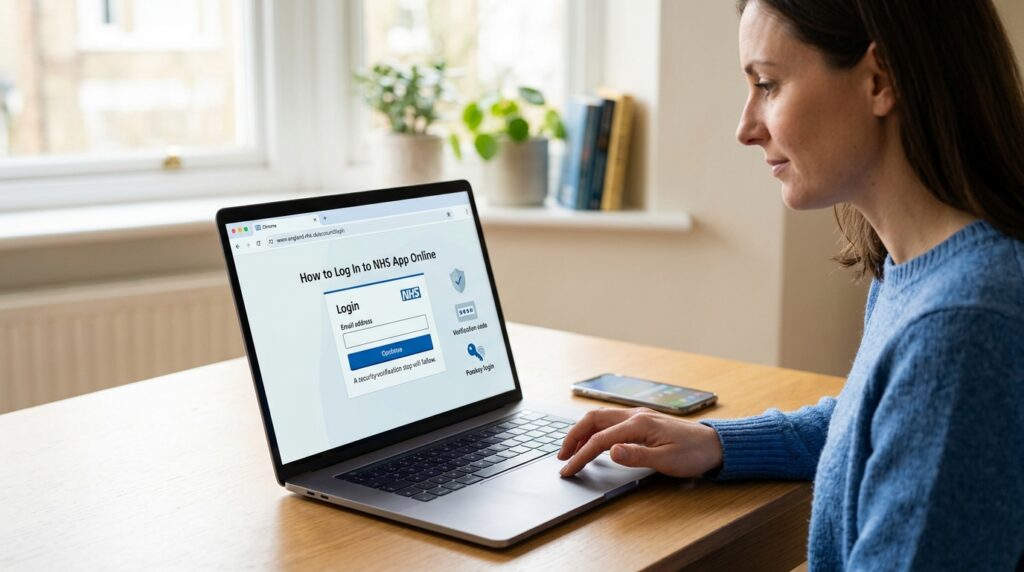
To log in NHS App online, start with the official NHS website and choose the option to access your NHS account. Enter the email address linked to your NHS login and follow the security steps shown on screen.
If you already made an NHS login for another health service that supports NHS login, you may not need to make another account. NHS guidance says the same NHS login can be used with a range of health and care services.
When you login to NHS App online on a computer, the page may not look exactly like the phone app. NHS guidance says the web version can provide NHS App services, but there are some small differences. For example, face or fingerprint login is not used in the browser in the same way as in the mobile app, though a passkey can be used.
A simple habit can also save time: use the same email address that you used when making your NHS login. Creating another account because you forgot which email you used can make things more confusing.
What You Can Do With NHS App Online Services
Once you have the needed level of access, NHS App online services can put several health tasks in one place. NHS guidance lists services such as repeat prescriptions, test results, NHS messages, health information, and appointments.
For repeat medicines, eligible users can request a repeat prescription through their NHS account. NHS England also says patients can view prescription information and, where the service supports it, choose where prescriptions are collected.
You may also be able to see information from your GP health record. This can include items such as test results, documents, or notes that your surgery makes available. However, you should not expect every part of your record to appear. Your GP surgery controls some of the information and services that are shown.
Another useful area is NHS messages. Some health services can send information that appears in your NHS account. This may make it easier to keep health messages in one place instead of searching through many texts or letters.
Using NHS App Online for Appointments
Appointments are one of the main reasons people may want to access NHS App online. Depending on the services available to you, you may be able to book or cancel some GP appointments and view appointment information.
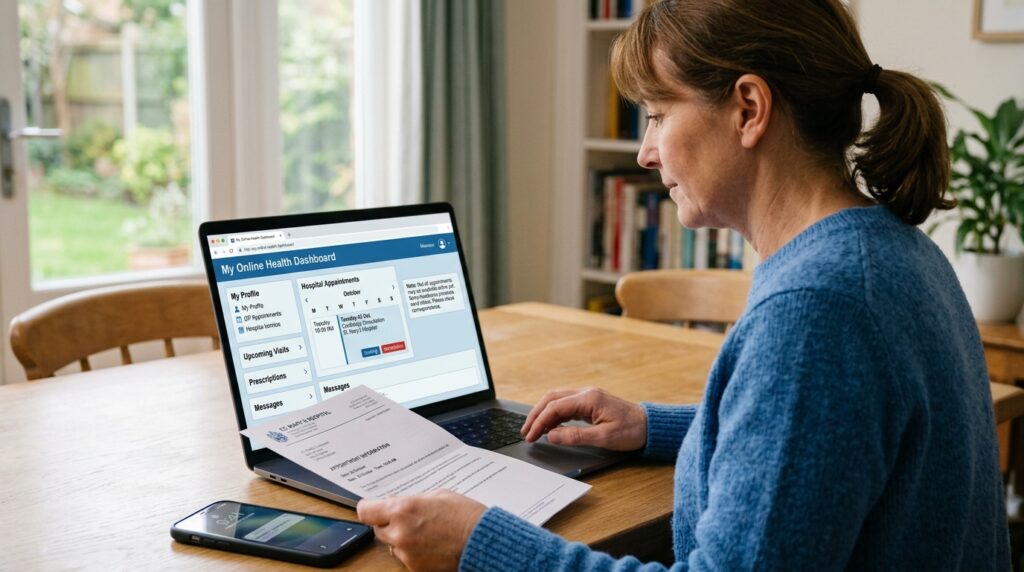
Hospital appointment information has also become more useful. NHS England said in April 2026 that every acute NHS trust in England had been linked with the NHS App for referral and appointment information. It also said that not every hospital appointment was visible yet, so what you see can still depend on the hospital and type of care.
This is why it is better to think of your NHS account as one helpful place for health information rather than as a full copy of every system used by every hospital and GP surgery.
For example, imagine you have a hospital visit next month. You may be able to see the appointment in your NHS account. If it does not appear, that does not by itself mean the appointment has been cancelled. Check any letter or message you have received, and contact the health service if you need to confirm the details.
How NHS App Online Consultation Can Work
An NHS App online consultation lets some patients contact their GP surgery through an online form or linked service. NHS guidance says these services can let people ask questions, report symptoms, and seek advice without first making a phone call or visiting the surgery.
However, online consultation is not the same at every GP surgery. The service shown to you depends on what your surgery or local NHS body provides. If your surgery does not offer an online consultation service through the NHS App, you may not see that choice in your account.
You may also be taken to another system used by your GP surgery. This does not mean that every outside health website is part of the NHS App. Follow the links shown inside the official NHS service and read the information on screen before entering private health details.
An online consultation can be useful for a health problem that your surgery allows you to send through its online service. It should not be treated as a replacement for emergency care. If you think there is a serious or life-threatening emergency, follow NHS emergency guidance rather than waiting for an online reply.
Why Some NHS Services May Be Missing
A common mistake is thinking something is broken when one feature does not appear. In many cases, the reason may simply be that your GP surgery does not offer that service through the NHS App or has chosen how certain information is shown.
The NHS says GP surgeries can control some features. The health information you can see can also depend on your surgery and the clinical system it uses. Some data may not appear, and information from a previous GP surgery may not move into the app in the way you expect after you change surgery.
Your level of identity proof can matter too. If you have not completed the steps needed for full access, some personal health tools will not be available. The NHS says users without full identity access have fewer choices than users whose identity has been fully checked.
So, before making a new account or thinking your health record has gone missing, check your access level and ask your GP surgery if the service you want is offered online.
Common NHS App Online Login Problems
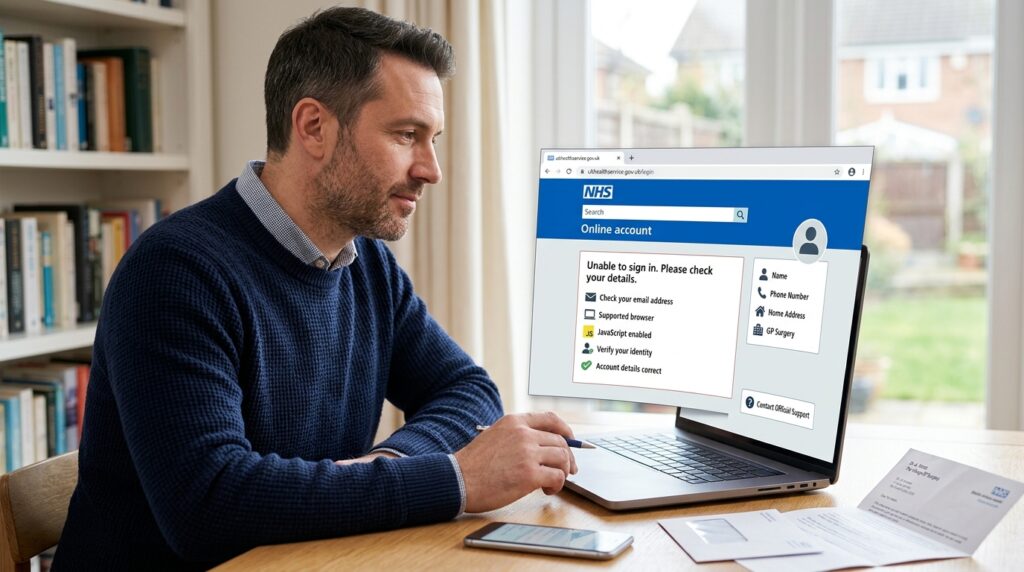
Sometimes you may know your account details but still have trouble getting in. Start with simple checks. Make sure you are using the email address linked to your NHS login and carefully enter the details shown on the page.
If you are using the NHS website on a computer, your browser also matters. NHS guidance says the online service needs a supported web browser with JavaScript turned on.
Another common problem can happen after personal details change. For example, your name, phone number, address, or GP surgery may have changed. If the information used during the identity check does not match what is held in your health record, you may need help before the account can connect correctly.
Avoid making several new accounts just because one login does not work. First use the official NHS help pages to check the problem. If the issue is linked to information held by your GP surgery, the surgery may need to help.
A Simple Way to Use NHS App Online Without Getting Lost
A good way to use the service is to start with one job. Do not open many pages at the same time. Decide what you want to do before logging in.
For example, if you only need a repeat medicine, log in, find the prescription area, check the medicine carefully, and follow the steps shown. If you need an appointment, go to the appointment area instead. This simple method makes the service feel less busy.
It also helps to read each page before pressing the next button. Health accounts can hold private information, so rushing can lead to mistakes such as choosing the wrong medicine or misunderstanding an appointment.
When you finish, sign out if you are using a shared computer. This is especially important in a library, school, work place, hotel, or another place where another person may use the same device after you.
Using NHS App Online on a Shared Computer
The web version can be useful for people who do not own a smartphone, but shared computers need extra care. Avoid letting the browser save your NHS password on a machine that is not yours.
When you are done, use the sign-out option and close the browser. Do not leave your NHS account open while you walk away. If someone is helping you with setup, think carefully before sharing private health details with them.
NHS guidance for people helping others set up NHS accounts also stresses the need to respect privacy.
A helper can show you where to click, but private details such as passwords and security codes should be treated with care. If possible, enter these details yourself.
NHS Login and the NHS App Are Not Exactly the Same Thing
This point can confuse beginners. NHS login is the account system used to prove who you are and let you sign in. The NHS App is one service that can use that NHS login.
Your NHS login may also work with other health and care websites or apps that support it. The NHS currently lists a range of health, appointment, pharmacy, patient access, and consultation services that use NHS login.
Think of NHS login like a key. The NHS App is one door that the key can open. Other approved health services may also use the same key. This is why someone who has already created an NHS login may be able to use those details when starting with the NHS App.

What People Often Get Wrong About NHS App Online
One common idea is that you must own a smartphone to use NHS App services. That is not correct. NHS guidance clearly says people can log in through the NHS website from a computer, phone, or tablet without downloading the app.
Another mistake is thinking the app controls what your GP puts in your record. In fact, your GP surgery remains responsible for much of the health information it makes available through your account.
People may also think that once they register, every feature should appear at once. This is not always the case. Some services need a higher level of identity proof, while other tools depend on your GP surgery or hospital.
Knowing these points can save you from making new accounts, repeating setup, or thinking something important has disappeared.
FAQs About NHS App Online
Can I use NHS App online without downloading the app?
Yes. NHS guidance says you can access NHS App services through the NHS website using a supported browser on a computer, phone, or tablet. You do not need to download the mobile app just to use the web service.
Do I need a new NHS login if I already have one?
Usually, no. If you already have an NHS login that you use with another supported health service, the same login can be used with the NHS App.
Can I access NHS App online from outside my home?
You can use the online service on a suitable device with internet access, but take extra care on a shared or public computer. Sign out when finished and do not save your password on a device that other people use.
Why can my friend see a service that I cannot see?
Your GP surgery, hospital, type of care, identity access level, and the systems used by your health provider can affect what appears. NHS guidance makes clear that some features and health information are not available in the same way for every account.
Can I use NHS App online for someone else?
Access to another person’s health information has special rules and should only be used through the proper NHS process. Do not simply share passwords. Check current NHS guidance or ask the GP surgery about the right way to manage care for another person.
What if I do not have photo ID?
NHS guidance says there can be another way to prove your identity using registration details from your GP surgery. Your surgery can provide the needed registration information if that route is right for you.
Can I have an NHS online consultation at any time?
An online form may be available through your NHS account if your GP surgery offers the service, but the way it works and when it can be used can depend on the surgery and its chosen provider. Follow the information shown by your own GP service.
Is NHS App online only for GP services?
No. The NHS account can also show some hospital, prescription, messaging, referral, and other health information where those services are connected and available to you. NHS England has continued to link more hospital appointment information with the NHS App, although what you can see still varies.
Final Thoughts
NHS App online gives people another way to reach NHS account services without needing to depend only on a mobile app. You can log in through the NHS website on a computer, phone, or tablet, which can be especially helpful if you like a larger screen or do not want to download an app.
The main thing is to set up your NHS login carefully, complete the identity checks needed for the services you want, and remember that the choices shown in your account can depend on your GP surgery and other NHS services involved in your care. If something is missing, it is better to check your access level or ask the right health service rather than making another account.
Once you understand how NHS App online login and registration work, the service becomes much easier to use. Start with one simple task, read each step carefully, protect your account details, and use official NHS help when you are unsure. With a little practice, managing simple health tasks online can feel much more familiar.
Disclaimer
This article is for general information only and was written with AI assistance. NHS services and online features can change, and this guide may not cover every detail or the latest update. Check important information with the official NHS website, your GP surgery, hospital, or another suitable NHS service before relying on it.