

In recent years, television watching has evolved drastically. From satellite dishes on the roof of your house and thick cables running from the street to your television, we can now enjoy live TV on the go with a simple application. The Freeview app is one such example that allows users to access free channels without having to commit to a costly monthly subscription package. However, it can be overwhelming to first-time users. They may ask themselves whether it is a legitimate service, how they can access it, or what devices are compatible. This guide aims to answer all of these questions while also highlighting the common mistakes that one must avoid when using the app. In the end, users will know how to watch their favorite programs on their preferred devices effortlessly.
What Is the Freeview App?
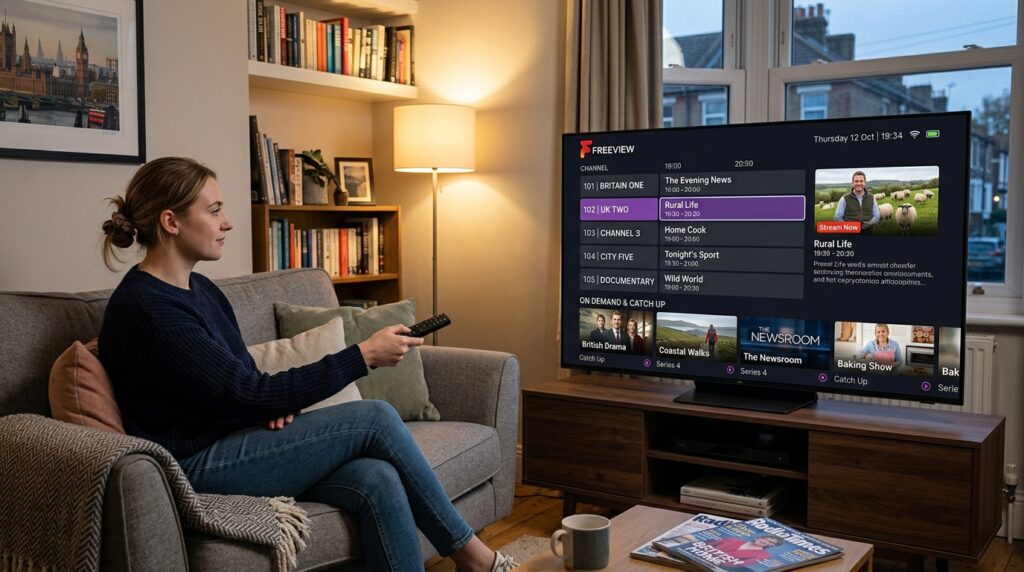
As mentioned, the Freeview app is a streaming platform that allows users to access both catch-up and live television programming through the Internet. Unlike the traditional TV aerial, an Internet connection is needed to stream videos online. There is no requirement to have an aerial connected to your television or any other device when using the Freeview application. However, one must have a stable connection to avoid disruptions in video playback. The Freeview app provides an all-in-one platform that aggregates all free-to-air UK channels. Simply put, the application serves as a digital TV guide that also allows users to watch their favorite programs live or on-demand.
In other words, it is a “TV guide” that also enables viewers to watch their favorite channels and catch up on their favorite programs. Moreover, viewers may “time-shift” that is, recordings of programs that have already aired but are still available for viewing. This means that one will be able to catch up on an episode of their favorite TV series that aired in the early hours of the morning while they were asleep. The app is user-friendly and can be utilized by individuals with a low level of technological proficiency.
Is There a Freeview App for Your Device?
At the heart of this guide is the initial setup procedure for first-time users. One of the first questions that arise is whether their device is compatible with the application. It is important to note that not all devices are created equal and that some may require further directions. Let us take a look at the most common devices that can be used with the Freeview app:
Freeview App for Smart TV
Modern-day television sets can be generally categorized as either smart or non-smart. Simply stated, smart TVs have an Internet connection while non-smart models do not. If one has a smart TV, they may want to consider installing the application directly on their television. It is important to note that not all smart TVs have the Freeview application in their respective app stores. However, most manufacturers tend to provide it. Therefore, it is advisable to look through the app store and see whether the Freeview application is available in the device’s application menu. If it is available, proceed to the next step. If not, do not worry as there are alternative methods of accessing the service, which will be discussed shortly.
Freeview App for Samsung TV and LG TV
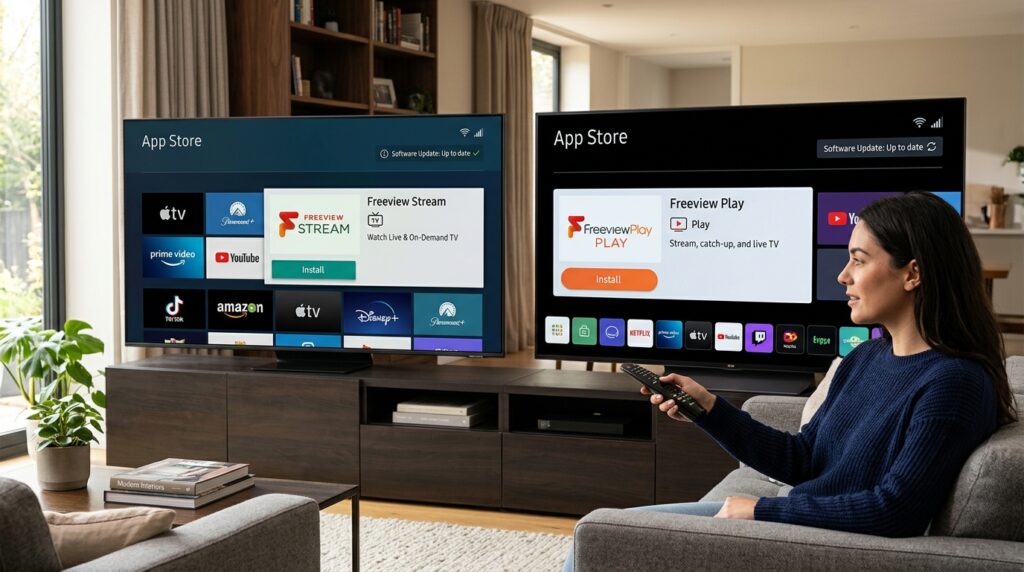
Samsung and LG are two of the biggest names in the television manufacturing industry. As such, a significant number of their products come with the Freeview application pre-installed. In case it is not available on one’s smart TV, they can navigate to the application store, search for “Freeview,” and then click to install it on their Samsung or LG television set. Before proceeding, it is critical to make sure that one uses the latest software version as older operating systems may not be compatible with the latest versions of the Freeview app.
Freeview App for Firestick
If the Freeview application is not available for one’s smart TV or they have a non-smart model, they can still use a streaming device. One of the most common examples is the Amazon Fire TV Stick, a small device that turns any television set into a smart TV. The process of installing the Freeview app Firestick version is straightforward and similar to the procedure described above. First, one has to connect the Firestick device to the HDMI port of the TV. Then, they should turn on their TV and launch the Firestick application, choosing the WiFi option and following the wizard setup procedure. Finally, one should search for the application in their Firestick’s application store and install the Freeview app Firestick version. This way, users will be able to enjoy all the benefits of a smart TV without having to purchase a new television set or alter their existing one.
Freeview App for Android and Apple TV
For those who like to watch TV on their smartphones or tablets, there is a Freeview app Android version. It is available in the Google Play Store and can be downloaded by anyone with an Android device. Similarly, one can also watch the Freeview app on their iPhones or iPads. In this case, one may want to look through the Apple TV application store and search for “Freeview.” In this case, one should also make sure that their operating system is updated. As such, users can watch television on their mobile devices, making it much more convenient than a traditional TV set. Alternatively, one can also use an iPhone or iPad with AirPlay features to mirror their phone screen on the television set.
Freeview App for PC
For those who prefer to watch their favorite TV show on their computers, there is a Freeview app for PC. However, in this case, one will not find a separate application in the store. Instead, one has to navigate to the official Freeview website and sign in to start watching TV shows on their PC.
How to Download and Set Up the App
Downloading and setting up the Freeview app is generally a straightforward procedure. However, there are several pitfalls that one must be aware of. For starters, one must choose a device to watch the application on. As discussed above, there are multiple options to choose from, including smart TVs, firesticks, android and apple tv, and pc. Next, one has to navigate to the respective application store and search for the official Freeview application. At this point, it is critical to make sure that one chooses the official Freeview app and not any other application that may have a similar name. Subsequently, one has to click on the download button and wait for the application to be downloaded and installed.
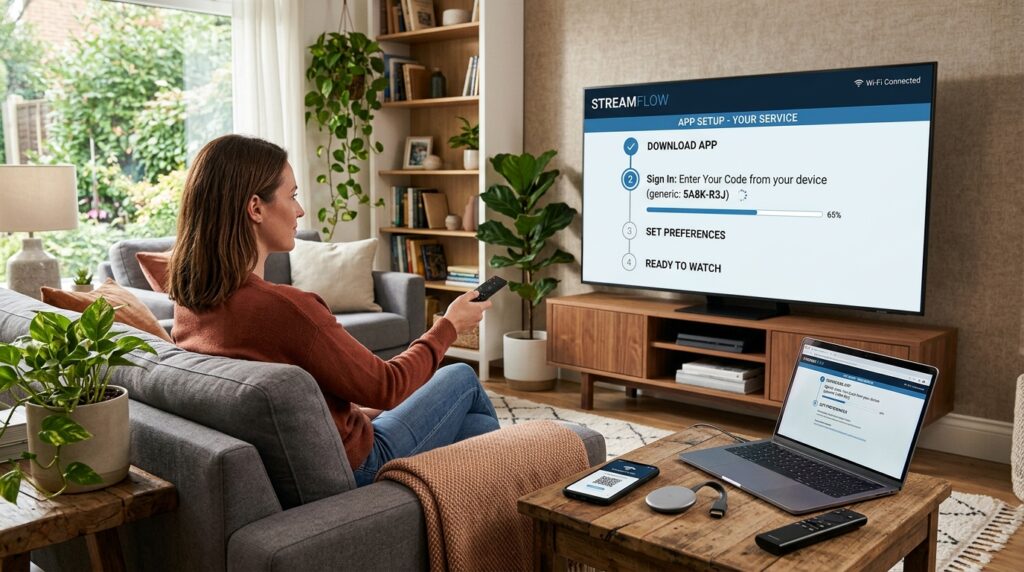
Depending on the device and the strength of the Internet connection, this procedure can take anywhere from 1 minute to an hour. However, on average, one can expect the installation procedure to finish in a matter of minutes. Once the Freeview app has been successfully installed, it is time to run it and set up an account. At this point, one will be asked to enter an email address and a password. It is critical to make sure that the email address is valid and that the password is memorable. Moreover, one will be asked whether they want to receive push notifications. This decision is entirely up to the user. Finally, the application will have to search for all the free channels, a procedure that should not take more than a couple of minutes. Once the setup wizard is completed, one should be able to enjoy their favorite TV shows.
Common Mistakes and How to Avoid Them
When using any streaming platform, including the Freeview app, users may encounter some difficulties. In some cases, these glitches are easily solved, whereas, in other instances, one may have to contact customer support. Moreover, there are some common mistakes that one should avoid when using the Freeview application.
First and foremost, the user should make sure that there is a stable Internet connection. It is important to understand that the application requires a certain amount of bandwidth to deliver high-quality video. As such, one should not expect to be able to stream videos in 4k if their connection is unstable. If one notices that the videos keep freezing or pixelating, they should try to relocate closer to the wireless router or invest in an Ethernet cable. Another common mistake is to not update the application. The developers behind the Freeview application occasionally release updates to fix bugs and optimize the performance of the app. As such, one should navigate to the application store and update the Freeview app to the latest version.
Another common mistake that novice users tend to make is to assume that everything is free. While most channels are indeed free, some require a subscription. For instance, one will not be able to watch sports channels for free. As such, one should always make sure that the application they wish to watch does not require a subscription. Fortunately, most free channels will have a label indicating that they do not require payment. In case a particular show asks to subscribe, one can simply cancel the subscription and look for another channel. Finally, one should also be aware that not all applications are compatible with all devices. For instance, some freeview channels may only be available in HD versions on newer devices. As such, older devices may struggle to support them, resulting in poor video quality. In this case, one should simply look for another channel.
Tips for Enhancing Your Freeview App Experience
There are several tips and tricks one can use to enhance their experience with the Freeview application. First and foremost, one should use the search feature. Most Freeview users tend to avoid using the search feature and simply scroll down the long list of channels. However, one can significantly reduce the time spent searching for a particular channel by typing it in. As such, one should always use the search feature when looking for a specific TV show or channel.
Additionally, one should use the favorite feature. In other words, a Freeview app allows one to mark their favorite channels and access them through a separate menu. This feature is particularly useful because it significantly reduces the time spent searching for a channel. Finally, one should consider using the Freeview app at different times of the day. The freeview app tends to buffer more in the evenings when everyone is trying to watch TV at the same time. As such, one should use the application in the mornings or late in the evenings when there is less competition for bandwidth. Finally, one should always remember to keep their device charged. Watching videos is an energy-intensive activity for any device. As such, having a power bank or a charging cable nearby can be a life-saving experience.
Frequently Asked Questions
1. Do I Need an Aerial for the Freeview App?
No, one does not need an aerial to use the Freeview application. Unlike traditional TV sets, one does not have to connect an aerial to their smart TV, firestick, or android tv. However, one will need a stable Internet connection in order to successfully use the application.
2. Is the Freeview App Totally Free?
Yes, the freeview app is completely free to use. One does not have to spend any money to watch most of the available channels. However, some of the channels may be subscribe-only. As such, one should make sure that the channel they want to watch is free.
3. Can I Watch Live Sports on the Freeview App?
Yes, one can watch live sports on the Freeview app. However, it largely depends on the channel that one wants to watch. Some of the sports channels are free while others are subscribe-only.
4. Why Is My Freeview App Buffering?
There are several reasons why one’s freeview app may start buffering. First and foremost, one should make sure that they have a stable Internet connection. If the connection is unstable, one may want to update the freeview app or navigate to the settings and turn off the high definition mode.
5. Can I Record Programs with the Freeview App?
Unfortunately, one cannot record programs with the freeview application as it does not support such a feature. However, one can use the catch up feature that allows one to watch programs that have aired within the last 7 days.
6. Does the Freeview App Work Outside the UK?
No, the Freeview app is primarily designed for UK users. As such, one will not be able to use most of the channels if they are outside the UK. However, some of the catch-up content may still be available.
7. How Can I Get Help from the Freeview Support Team?
One can get help from the freeview support team in case they have any questions or concerns regarding the application. The best way to get in touch with the support team is to visit the official freeview website.
8. Can I Use the Freeview App on Multiple Devices Simultaneously?
Yes, one can use the freeview application on multiple devices simultaneously. However, one should note that there may be limits on the number of devices that can use the application at the same time.
Conclusion
To summarize, the Freeview app is an excellent way to watch television shows without spending too much money on monthly subscriptions. Moreover, the app is easy to use and is compatible with a variety of devices. With that said, one should always make sure that they have a stable Internet connection and update their application to the latest version. Moreover, one should always use the search and favorite features to make their experience as smooth as possible.
Disclaimer
This article is for general informational purposes only. It was written with AI assistance and may not cover every detail or the latest changes to the service. Features and availability can vary by device and location. Readers should verify important specifics independently before relying on this information.