
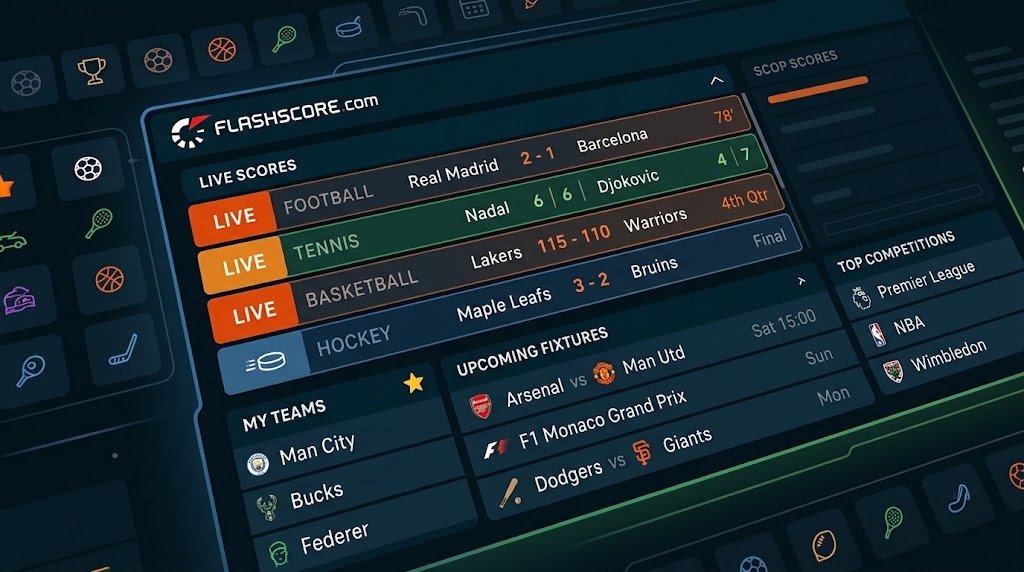
Sports move fast. A goal, a break point, or a late basket can change a game in seconds. Many fans open flashscore.com to see the score without waiting for a TV update. It is a popular place to check live scores, final results, and upcoming fixtures. A fixture is simply a game that is set to be played.
This guide explains what the site offers and how to use it with ease. You will learn about the sports it lists, how its mobile options work, and how to follow your teams. You will also see why scores can differ from other pages. Last, you will find tips on look-alike addresses, betting content, and common mistakes.
What Is Flashscore.com?
Flashscore.com is a sports scores and news website. Its main page shows tabs for Scores, News, Favorites, and More. The company behind the Flashscore app is listed as Livesport s.r.o. on the App Store. The site also lists links such as Terms of Use, Privacy Policy, Contact, and FAQ in its footer.
The site has a free mobile app on the App Store and Google Play, according to its own page. The App Store listing says the app is free but contains ads and in-app purchases. Details can change, so check the store page for current terms in your country. Think of Flashscore as a large scoreboard in a busy sports bar. You walk in, find your game, and read the numbers.
Sports and Competitions You Can Follow
The site says you can follow more than 30 sports. Its main menu names football, tennis, basketball, hockey, golf, Formula 1, baseball, and snooker. The App Store listing also mentions sports such as volleyball, darts, and rugby union. It lists more than 6,000 competitions. Football here means the game many people call soccer.
Coverage can vary by sport and by league. A big league may show more detail than a small local one. Before you rely on a page, open a game you know well. Check that the teams, date, and score look right. If your favorite league does not appear, look in the menu for your country, or use the search tool if one is shown.

Live Scores, Results and Fixtures Explained
A live score shows the number during a game. A result shows the final number after the game ends. A fixture shows a future game, usually with a date and a start time. Flashscore groups these under its sport tabs and its league lists. Pick your sport, then pick your country or league, and then open the game you want.
Each tab answers a different question. Use live scores when a game is on right now. Use results when you missed a game and want the outcome. Use fixtures to plan your week. For football, the site says game pages can include lineups, live commentary, previews, match reports, and statistics. Not every game may show every item, so look at the page you open.
Flashscore.com Mobile: Website and App
Many readers search for flashscore.com mobile or mobile flashscore.com. The main page links to a free app and to a “Mobile” page. It also links to a “Lite version.” The names and links may change, so start from the main page and follow what you see there. A lighter page may suit a slow connection or an older phone.
Which option is best depends on your device and your habits. The website works in a browser, so you do not need to install anything. The app can send alerts when you allow them. If you use the website on your phone, add it to your home screen or save a bookmark. Then you can open it in one tap when a game starts.

Favorites, My Teams and Alerts
The site shows a Favorites tab and a “My Teams” area in its football menu. These tools help you keep your teams in one place. The App Store listing says you can follow teams, competitions, matches, and players. It also says you can get alerts for items such as goals, lineups, match previews, and transfers. Alerts depend on your settings and your device.
Start small when you set up alerts. Follow one team and one competition first. Watch for a week and see how many alerts you get. Too many alerts can feel noisy, and you may start to ignore them. If your phone does not show alerts, check the notification settings on your device. Also check the permissions inside the app.
How to Read a Match Page
A match page can look busy at first. Start with the score at the top and the time or status below it. Then scroll to the events, such as goals and cards. For football, the site says it can show items like shots, possession, corners, fouls, and xG. The term xG means expected goals. It is a number that estimates how good a chance was.
Do not treat one number as the whole story. A team can have more shots and still lose. Possession can be high and still lead to few chances. Use stats to ask better questions, not to decide the winner. The site also lists player and team ratings and head-to-head records. Treat them as guides, and compare them with the game you watched.
Regional Addresses and Look-Alike Sites
Some people search for versions such as flashscore.com.ng or flashscore.com.tr. This guide cannot confirm how every regional address works. The main Flashscore page does not describe separate country sites. It does list leagues and countries in its menus. Those are filters inside the site, not new websites.
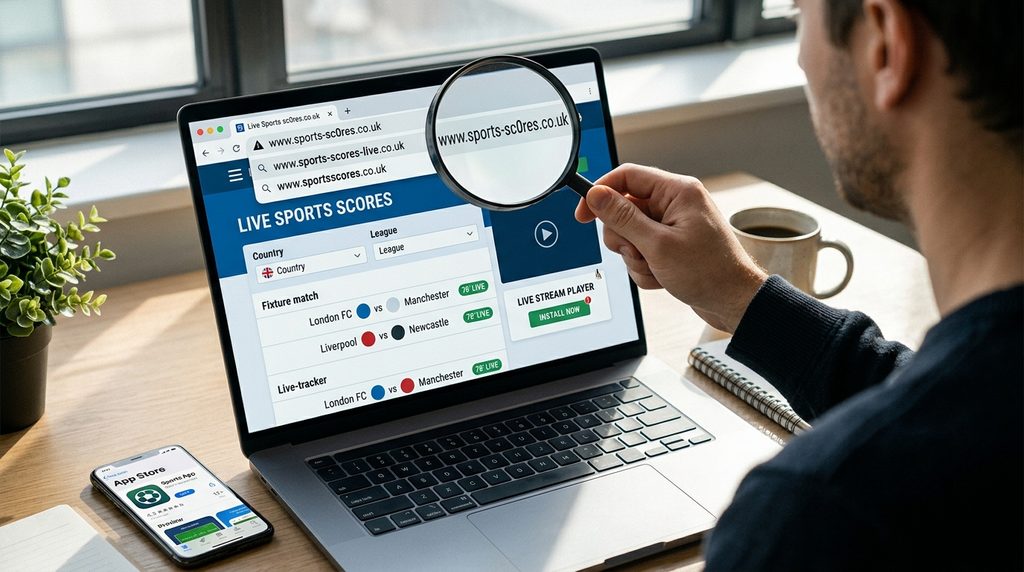
Spelling and spaces matter. Typing “flashscore .com” with a space, or adding extra letters, may lead you somewhere else. Type the full address with care and check what opens. Look for the same name, the same layout, and the same footer links. Be careful with any page that asks for a download, a payment, or a login just to see scores. Use the official app store listing when you want the app.
Odds, Ads and Betting Content
The football pages on the site mention odds comparison. The main page also links to an “Odds and betting version 25+” and shows gambling notices for several regions. This means some content is about betting. Rules depend on where you live and how old you are. You do not need to use any betting content to check a score.
If you choose to bet, follow your local law and use licensed services. Set a spending limit before you start. The App Store listing says the app contains ads, so expect some ads on the free version. A paid option to remove banners may exist in some stores. Do not click a pop-up that promises prizes or fast money. Close it and return to the scores.
Why Scores Can Lag or Differ
A live score is a record that someone enters and a system then sends out. That takes time, so a short delay is normal. Your TV or stream may also run ahead of or behind a score page. A betting site, a league page, and Flashscore may all show the number at slightly different moments. Nobody has to be wrong for this to happen.
For final results, use the league or team page as the official check. If you see an odd score, refresh the page first. Then wait a minute and refresh again. Check your internet link too. If the problem stays, look at the game page for a status such as postponed or delayed. Weather, safety checks, or a late start can change what a page shows.
Common Mistakes and Easy Fixes
The first mistake is trusting one number without a second look. Another mistake is missing the time zone. A game listed at 8 PM may mean a different hour for you. Check the zone setting or the local time on the page. Fans also forget to update the app. An old version may show bugs. Update it from the official store when a new version appears.
Another mistake is following too many teams. Your phone buzzes all day, and you stop reading the alerts. Pick the few teams you care about most. A third mistake is copying a score into a group chat before the game ends. A late goal can change everything. Wait for the final status, then share. These habits save time and avoid small arguments.
Frequently Asked Questions
Is Flashscore free to use?
The App Store lists the Flashscore app as free, with ads and in-app purchases. The website appears open to read without a fee on its main page. Prices and options can differ by store and country. Check the official store page for current details before you buy anything.
Do I need an account to follow my teams?
This guide cannot confirm account rules for every device. The site shows a Favorites tab and a My Teams area. Some features may need settings changes on your phone. Open the app or site and see what it asks. Share only the details you are comfortable giving, and read the privacy policy.
Which languages does the app support?
The App Store listing says the app supports English and 35 other languages. Language options can differ by store and by update. Open the app settings to see the choices on your device. The website may also show different versions of its menus. If you do not see your language, check the menu or settings again after an update. New options may appear over time, but that depends on the provider. Until then, you can still read scores, since numbers and team names look much the same in any language.
Can I watch games on Flashscore?
The pages describe scores, statistics, commentary, news, and video highlights. They do not say that you can watch full live games there. For live video, use the official broadcaster or streaming service for your sport and region. Rights and access depend on your location.
What is the difference between results and fixtures?
Results show games that have ended, with the final score. Fixtures show games that have not started yet. A game may also appear as live while it is being played. Games can move from fixture to live to result as time passes. Postponed games may show a new date later. If a game seems stuck in one stage, refresh the page and check the status label.
Is it safe to enter my details on a sports site?
Be careful before you share private details on any site. Use the official website or the app from the official store. Check the address spelling. Do not enter payment or login details on a page you doubt. Read the privacy policy first. If you shared details by mistake, change your password.
Final Thoughts
Flashscore.com gives fans one place to check live scores, results, and fixtures across many sports. Its main page shows tabs, a mobile link, a free app, and tools for favorites. Its value for you depends on your sport, your league, and your device. Try the website first. Then try the app if you want alerts.
Your next step is simple. Pick one team and one league. Follow them for a week and note what helps. Check a final result against the league page after one game. Keep an eye on the address you type, and skip any page that asks for private details to show a score. Small habits like these keep sports fun and keep you in control of your time.
Disclaimer
This article is for general information only and was written with AI assistance. Details about websites, apps, features, and sports data can change over time, and this guide may not cover every situation. It does not give betting, legal, or financial advice. Please check important or current details through official or trusted sources before you rely on them.