
If you search for “patches NHS,” you may be looking for the PATCHS online GP service. PATCHS is an online consultation system used by many GP practices in the UK. It lets patients contact their surgery without always needing to phone. You can explain a health problem, ask an admin question, or send certain medication requests. Your GP practice then reviews the information and decides what should happen next. This could be a message, phone call, advice, or an appointment.
This guide explains how PATCHS NHS works and how to use the PATCHS login. It also covers appointments, prescriptions, online requests, and common access problems. You will learn why services can look different at different GP surgeries and what to do if PATCHS is closed. The guide also explains the difference between PATCHS and medical skin patches. This matters because searches such as nicotine patches NHS, HRT patches NHS, and weight loss patches NHS refer to medicines rather than the online GP service.
What Is Patches NHS and How Does PATCHS Work?
The official name of the service is PATCHS, without the extra “e.” OneAdvanced provides the service, while individual GP practices decide how they use it. PATCHS lets patients answer questions online and send their request to their registered GP surgery. Depending on the practice, you may also be able to read replies and view earlier requests through your account. Think of PATCHS as an online front door to your GP practice. You explain why you need help, and the practice decides which member of staff or type of care is suitable.
Sending a PATCHS request does not mean that you have booked an appointment. Your surgery first reads the information you provide. Staff may then send advice, ask another question, arrange a phone call, or offer an appointment. Some problems can be handled without a face-to-face visit, while others need a clinical appointment. This system helps practices sort requests based on the information given. The exact process can vary because each surgery can set up PATCHS in a different way.
Patches NHS Login and How to Access Your Account
The easiest place to start is usually your own GP surgery website. Look for its official PATCHS link and use that page to access the service. This helps make sure you are contacting the correct surgery instead of opening an unrelated website. If you created a normal PATCHS account, you can use those account details to sign in. Some GP practices also allow NHS login, which lets patients use their NHS login details to access PATCHS. Availability can differ between practices, so follow the instructions shown by your surgery.
Login problems often happen when people try to use a different sign-in method from the one they first chose. For example, someone who registered through NHS login may later try to enter a separate PATCHS password. If you first used NHS login, try that same route again. If you created a PATCHS account and forgot the password, use the password reset option. Check your junk or spam folder if the reset email does not arrive in your main inbox. Avoid creating another account just to fix a login problem, because this can make old messages harder to find.

Patches NHS Appointments and Online GP Requests
A PATCHS NHS appointment request normally starts with an online form. The form asks you to explain your problem and answer some questions. Give clear details about what is happening and how long it has been going on. If your symptoms have changed, explain whether they are getting better or worse. You should also say what kind of help you are looking for. Clear information makes it easier for the practice to understand your request and decide what should happen next. Choose the request type that matches your real problem rather than selecting an unrelated option just because it is available.
Some GP practices may offer appointment booking through PATCHS, but this depends on how the practice has set up the system. In some cases, staff can send you a link that lets you choose from available appointment times. Other practices may review your request first and then decide whether you need an appointment, phone call, or another form of care. This is why one patient may see booking options while another patient does not. If you cannot see an appointment slot, it does not always mean PATCHS is broken. Your surgery may simply use a different process for arranging appointments.
Prescriptions, Medication Requests, and Admin Help
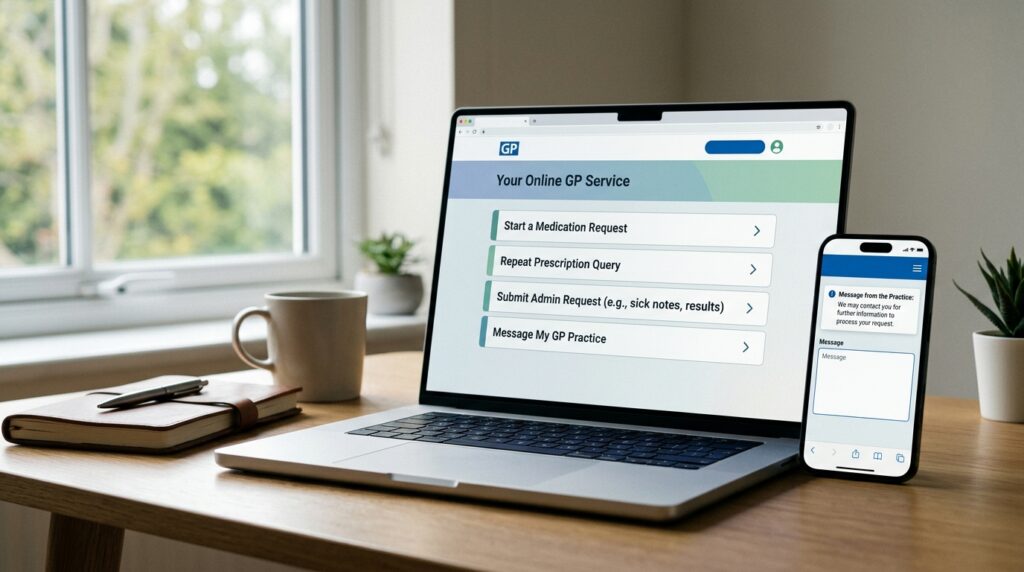
PATCHS can also be used for some medication requests when a GP practice has enabled that service. Depending on the surgery and its connected clinical system, patients may be able to ask about repeat medicines or send a medication-related request. This does not mean you can order any medicine you want through PATCHS. New medicines still need proper clinical review, and some prescription requests may use another service instead. Always follow the options shown by your own GP practice because the available medication tools can differ between surgeries.
You may also be able to use PATCHS for certain admin requests. These can include routine questions that do not need a medical consultation, depending on what your practice offers. Choose the correct category and give enough information for staff to understand what you need. Avoid adding private details that are not relevant to the request. If your surgery sends a follow-up question, reply when you can so staff can continue dealing with the request. Your GP website should explain the current ways to contact the practice if an option is not available through PATCHS.
What to Do If PATCHS Is Closed or Not Working
GP practices can set their own PATCHS opening times and request limits. A surgery may stop accepting some types of requests after it reaches its daily capacity. This means the service can appear closed even when the website itself is working normally. Read the message shown on your GP practice page because it may tell you when requests will reopen. It may also give you another way to contact the surgery. If a request cannot wait, use the alternative route provided by your practice rather than repeatedly refreshing the PATCHS page.
PATCHS should not be used for a medical emergency. If you need urgent medical help and your GP is unavailable, NHS 111 can help with urgent problems that are not life-threatening. Call 999 for a life-threatening emergency. If your problem is only technical, first reopen PATCHS from your surgery’s official website. You can also try a current web browser or another device. For account problems, use the same login method you originally registered with or use the password reset process. Do not delay urgent medical care because an online form or login is not working.
Medical Patches on the NHS: Nicotine, HRT, Weight Loss, and Other Treatments
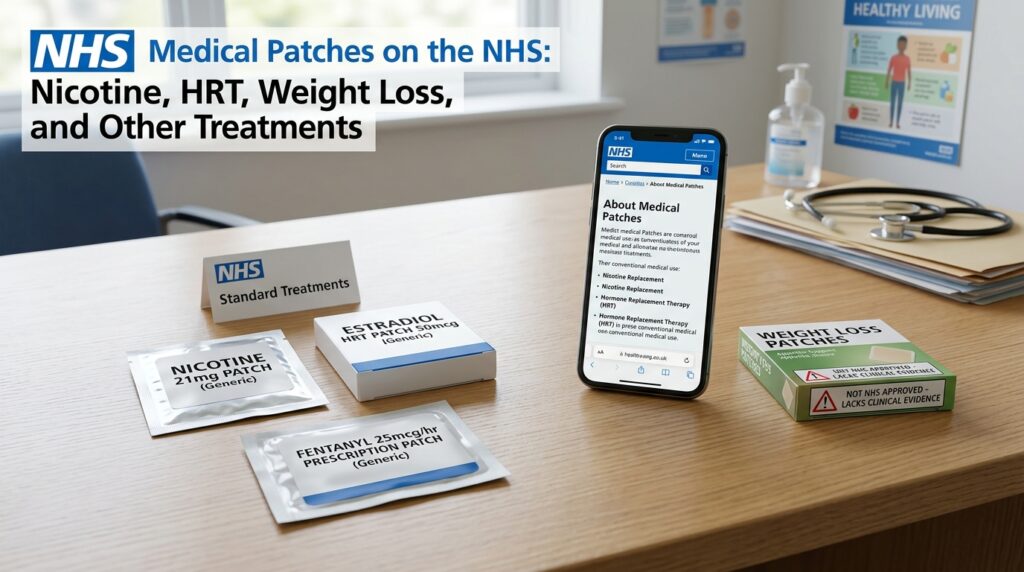
Medical patches are completely different from the PATCHS online GP service. Nicotine patches are one type of nicotine replacement therapy, often called NRT. They slowly release nicotine through the skin and can help some people manage cravings when they stop smoking. Other NRT products include gum, sprays, and lozenges. Nicotine replacement products can be bought, and some people may also get support through a GP or local stop-smoking service. Searches for “free nicotine patches NHS” need local checking because services and eligibility can vary by area.
HRT patches are also established prescription medicines used for hormone replacement therapy. NHS information includes oestrogen patches and combined HRT products such as Evorel Conti. Weight-loss patches are different. Current NHS weight-management guidance includes medicines such as semaglutide, tirzepatide, liraglutide, and orlistat, but it does not list slimming patches, belly fat patches, diet patches, berberine patches, or GLP-1 skin patches as standard NHS weight-loss treatments. Testosterone is also commonly described by NHS guidance as a gel or cream in certain situations, rather than a standard testosterone patch. Other medicines do use patches, including rotigotine for Parkinson’s disease and Scopoderm, which contains hyoscine. These medicine patches should not be confused with the PATCHS GP platform.
Frequently Asked Questions
Who runs PATCHS?
PATCHS is provided by OneAdvanced. Individual GP practices choose whether to use the system and decide how patients can send requests through it. This is why the service and available options can look different from one surgery to another.
Can I use PATCHS for someone else?
PATCHS can support requests for another person in some situations. This may apply when you are a carer or have suitable permission to act for that person. The rules can depend on your GP practice and your relationship with the patient, so check with the surgery if you are unsure.
Can I upload a photo with a PATCHS request?
PATCHS can allow images or documents to be attached to some requests. A photo can be useful if it helps a clinician understand the problem. Only upload relevant material and follow any instructions from your GP practice, especially when an image is sensitive or private.
Can I cancel an appointment through PATCHS?
Some practices may let patients view or cancel appointments through PATCHS when the required online appointment features are connected. If you cannot see a cancellation option, use the contact method given by your GP surgery. The available appointment tools depend on the practice setup.
Why was my PATCHS request closed?
A request may close if your GP practice asked for more information and did not receive a reply within the allowed time. The time given can vary between practices. If you still need help after the request closes, you may need to submit a new request or contact the surgery.
Can I use PATCHS without making an account?
PATCHS can offer access without registration in some situations, depending on the GP practice. Using the service this way may give you fewer account features, such as saved personal details or access to older conversations. Follow the options shown by your own surgery.
Final Thoughts
When people search for patches NHS, they often mean PATCHS, the online system used by some GP practices. The easiest way to access it is through your GP surgery’s official website. Use the correct request type and explain your problem clearly. After sending the form, check for replies because the practice may need more information. Remember that an online request does not always create an appointment straight away. Your surgery first reviews the request and then decides what type of help is suitable.
It is also useful to separate PATCHS from medical skin patches. Nicotine patches, HRT patches, Scopoderm, and rotigotine are medicines with specific uses. Searches for slimming patches NHS, belly fat patches NHS, berberine patches NHS, or GLP-1 patches NHS can lead to products that are not part of standard NHS weight-loss treatment guidance. For medicine questions, check current NHS information or speak with a GP, pharmacist, or another suitable healthcare professional.
Disclaimer
This article is for general information and was written with AI assistance. Services, medicine guidance, and local rules can change over time. It may not cover every situation. Check important or current details with the NHS, your GP practice, a pharmacist, or another trusted official source before relying on them.