

Have you searched for Picdeer? You probably have a rough idea what it does. Here’s the full picture.Picdeer is a free browser tool. It lets you view and save public Instagram photos, videos, Reels, and Stories. You don’t need an account. You don’t need the app. Just type in a public username. Or paste a post link. The content shows up right in your browser.
Tools like this are getting common. Instagram now holds a huge amount of public content. Think brand pages, artists, photographers, small shops, and hobbyists. Not everyone wants to open an account just to see a few public posts. That’s the gap Picdeer fills.Below, you’ll find what it does well. You’ll also see where people run into trouble. Plus who uses it, and a few backup tools worth knowing.
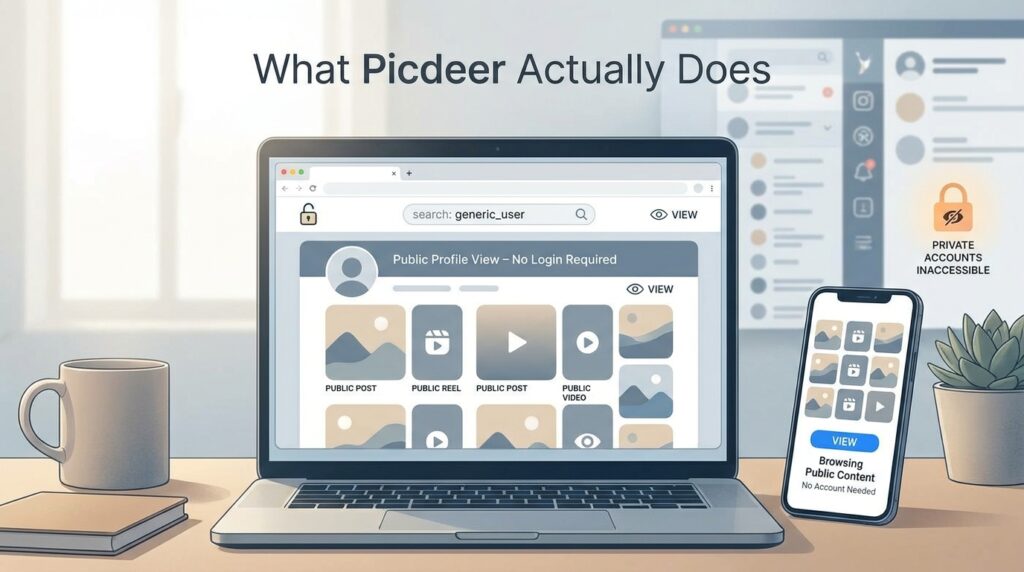
What Picdeer Actually Does
Picdeer is a third-party Instagram viewer. These tools pull public content without a login. People use them for different reasons. Some want reference images. Some want to check a public account. Some just want to browse without setting up a profile.Here’s how it works, in simple terms. These tools pull data from Instagram’s public pages. That’s the same data your browser loads when you visit a public profile. The tool just shows it without Instagram’s app, ads, or login wall. Nothing complex is happening behind the scenes. Think of it as a special browser, not a hacking tool.One thing to be clear about. It only works on public accounts and posts. Private content stays private. Picdeer can’t get around privacy settings. If an account is private, the viewer shows very little. Just the profile picture and bio. That’s the same basic info Instagram already shows anyone.
The Basics
You don’t need an account. It works with photos, videos, Reels, and Stories. As long as they’re public. Downloads usually come through at full quality. It’s free. It works on desktop and mobile browsers. There’s nothing to install.
A few more details worth knowing:
Browsing multiple posts
Most tools like this let you scroll through a profile’s recent posts. Useful if you want to check a whole account.
No watermark
- Saved files come through clean. The tool doesn’t add any logo on top.
No viewing history.
- Since there’s no login, there’s no saved list of what you looked at. That’s just a side effect of skipping login. It’s not a special privacy feature.
Using Picdeer
Open it in any browser. Desktop or phone, both work. That’s the whole setup. Then type in a public username. Or paste a link to one post. The content loads. You browse through it. Found something you want? Click download.
Here’s a tip that helps a lot. Use a direct post link when you can. It loads faster than a username search. It also loads more reliably. That’s because it points to one exact post. To grab a post link, tap the share icon on Instagram. Choose “copy link.” Then paste that link into the tool.
Want to browse a whole account instead? A username search works fine. It just takes a bit longer to load. Especially for accounts with many posts.

Who Uses This, and Why
It helps to name a few real reasons people use tools like this. “Instagram viewer” can sound vague on its own.
Researchers and marketers
- check a competitor’s public posts. No need to log into a business account.
Designers and artists
- collect reference images. Often from public portfolios or mood boards.
People switching phones
- want to save a few old public posts first.
People who want to skip the algorithm
- Some folks don’t want a personalized feed. They’d rather look something up once and move on.
None of this means bypassing any privacy setting. It’s all content the account owner already made public.
Is It Safe?
Here’s the good part. Picdeer never asks for your Instagram password. It never asks for your username either. That rules out a big risk with tools like this. Namely, someone stealing your login. It only shows content that’s already public. So no privacy setting gets worked around.
Still, use common sense with any third-party site:
- Never type your real Instagram login anywhere except instagram com.
- Watch out for pop-ups that don’t match what you clicked. This is the most common way people run into trouble with free web tools. Not just this one.
- Keep your browser and phone software updated.
- Stick to public content. That’s what these tools are built for. Going beyond that usually isn’t even possible.
- If you save something that isn’t yours, think about how you use it. Public on Instagram doesn’t mean you can republish it elsewhere.
When Something Goes Wrong
A username won’t load.
This happens fairly often. Instagram updates its backend a lot. That can break third-party tools for a while. Try a direct post link instead. Or wait a few minutes and try again. These issues usually pass quickly.
The download quality looks off
Sometimes that’s built into the original post. Maybe Instagram compressed it a lot. Or a Reel got shared many times. There’s not much a viewer tool can do about that. The lost detail is already gone.
The whole site feels slow
These tools pull public data in real time. They don’t keep their own copy of it. So uptime isn’t always perfect. Especially right after Instagram changes something. Keeping a backup tool ready is the simplest fix. That’s why regular users often bookmark more than one.
Stories disappear fast no matter what
Stories only stay live for 24 hours. Unless someone saves them as a Highlight. A viewer tool has the same time window you do. After 24 hours, it’s gone on Instagram’s side too. Not just the tool’s side.
What Else Is Out There
Picdeer isn’t the only option. It helps to know a few backups.
Picdeer
No login needed. Handles Stories well. Keeps things simple. The downside: it goes down sometimes. Usually right after Instagram changes something.
Gramsnap
Also skips the login. Also handles Stories. But it bundles more tools together. A profile viewer, a highlights viewer, and a downloader, all in one place. Worth trying if you need more than one feature often.
Lookaside-based viewers.
No login here either. But Story support tends to be weaker. These tools rely on Instagram’s internal “lookaside” system. That system was never built as a public tool. So these viewers can be more fragile when Instagram makes changes.
Want to view Highlights? Or just check a profile without logging in? Try more than one tool. Reliability shifts from week to week as Instagram updates its site.
A Few Practical Tips
A few small habits make these tools easier to use:
- Bookmark two or three options. Don’t rely on just one. That way, a bad day for one tool won’t leave you stuck.
- Saving several images? Put them in a folder right away. Give the folder a clear name, like the account or the date. Generic filenames pile up fast and get hard to sort.
- Profile won’t load? Double-check the username spelling. Also make sure the account is public. A lot of “broken tool” reports are really just private accounts.
- Plan to reuse something publicly, like in a project? Keep a note of where it came from. That makes permission easy to sort out later, if it matters.
Questions People Ask
Do I need an Instagram account for this?
No. It works fully without a login. Public content only.
Can it access private accounts?
No. Public content only. That’s a hard limit, not a setting you can turn off.
What file format do downloads come in?
Standard image and video files. They open on almost any device. No special software needed.
Does it cost anything?
No, it’s free.
Will it work on my phone?
Yes. Any mobile browser works. No app needed.
Why isn’t a post loading for me?
Usually it’s something on Instagram’s end. Try a direct link instead of a username search. Or check back later.
Is there a limit on how much I can download?
Usually no set limit. But very large profiles can take longer to load.
Does it work the same for Reels as for photos?
Yes. Reels work the same as any public post. Paste the link, or find it while browsing the profile.
Can I use this to see who viewed my own Stories?
No. Tools like this only show public content that already exists. They can’t show Instagram’s private viewer stats. Only the account owner can see those, inside the app itself.
Is It Legal to Use?
This is a fair question. Let’s answer it directly.
Using a viewer like Picdeer isn’t a gray area. Public means public. Anyone with a browser can already see that content on Instagram. Logged in or not. A viewer tool just changes the interface. It doesn’t change what you’re allowed to see. Where it’s worth being careful is what happens after. Saving a photo is one thing. Reposting it as your own work is different. So is using it for money, or claiming it as original. Those are covered by copyright law. And by Instagram’s own rules. Not by whether you used a viewer tool or the app itself. The tool gives you no extra rights to the content. It’s the same as if you’d screenshotted it yourself. Fine for personal reference. Not a green light to republish without permission.
The same idea applies to photos of other people. A public photo doesn’t make every later use of it fine. Normal judgment about consent still applies. The same way it would if you found the image any other way.

The Takeaway
Picdeer does what it promises. It lets you view and save public Instagram content. No login, no hassle. Expect occasional downtime with any tool like this. Instagram can shift things on its end at any time. If Picdeer gives you trouble one day, try something like Gramsnap. It covers similar ground, with a bit more built in. Keeping a second option on hand makes the whole process smoother over time.
Disclaimer
This article shares information to help you learn and understand. Picdeer and tools like it are not part of Instagram or the big company that runs it. Always be kind and respect what people share publicly. Follow the rules of the main Instagram place. Use helpers in a good and safe way. We do not say one tool is better than others. Check if the site works right now because web things can change. Stay safe and happy on the internet! Have fun with your pictures and learning.