
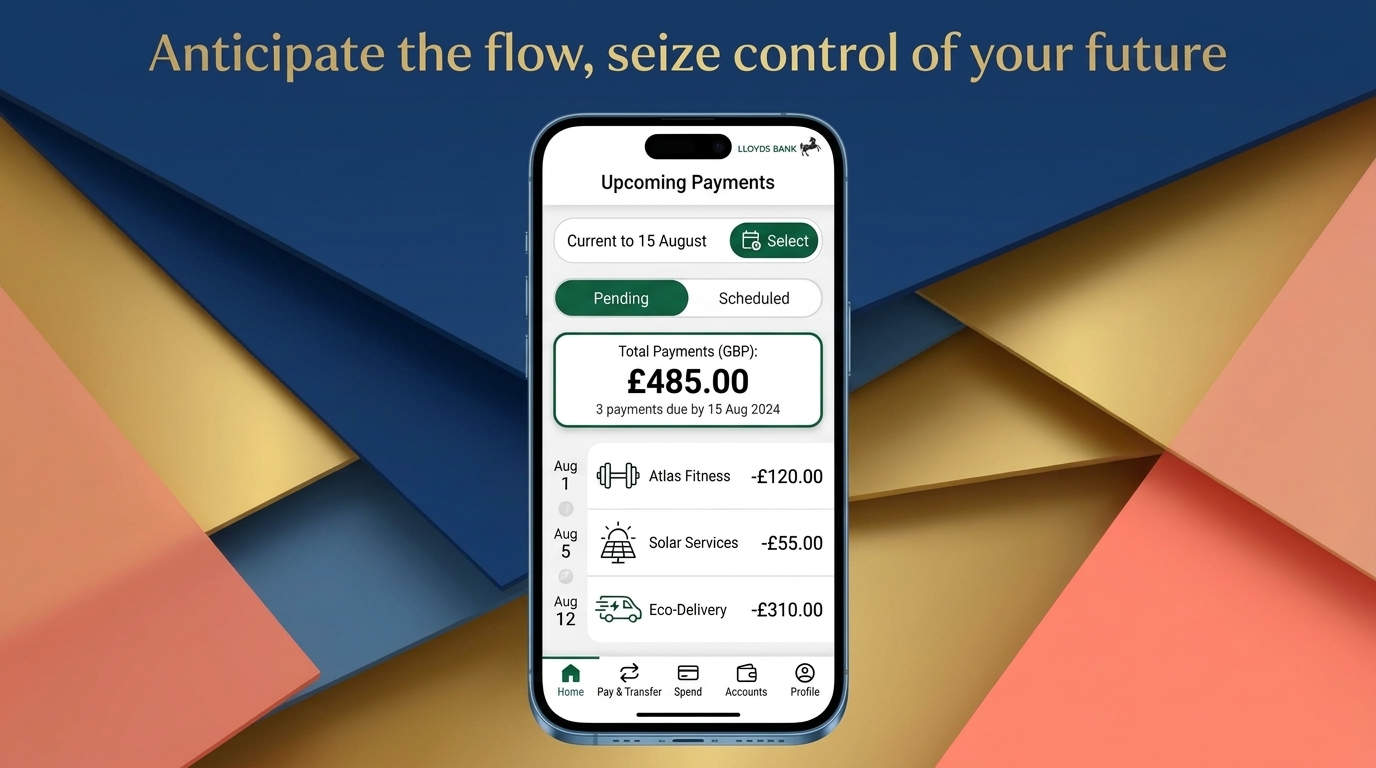
The Lloyds Bank app gives customers a simple way to manage everyday banking from a phone. You can check balances, review payments, manage cards, make transfers, and use money tools without visiting a branch. Lloyds also uses the app for some security checks when customers bank or shop online. The service is mainly designed for eligible Lloyds personal online banking customers using supported Apple or Android devices.
This guide explains how the app works in 2026 and how to download it. It also covers the Lloyds Bank app login process, savings tools, updates, and common Android problems. You will also learn what to check when the Lloyds Bank app is down or not working. App features and device rules can change, so important details should still be checked through Lloyds or your official app store.
What Is the Lloyds Bank App?
The Lloyds Bank app is the bank’s mobile banking service for supported phones and tablets. It connects eligible customers to their accounts without needing the main banking website. Lloyds says the app is available to UK personal online banking customers. It is also available to certain online banking customers with accounts held in Jersey, Guernsey, or the Isle of Man. You need a valid phone number registered with Lloyds. Your device must also meet the current operating system rules.
The app groups banking tools into different areas called spaces. The Everyday space covers current accounts, credit cards, payments, and spending information. Save & Invest focuses on savings and investment tools. Other spaces cover borrowing, homes, and insurance where relevant. Lloyds also lets customers view balances, recent payments, statements, and other account details through the app. The exact options you see can depend on your accounts and services.
Lloyds Bank App Download and Device Requirements
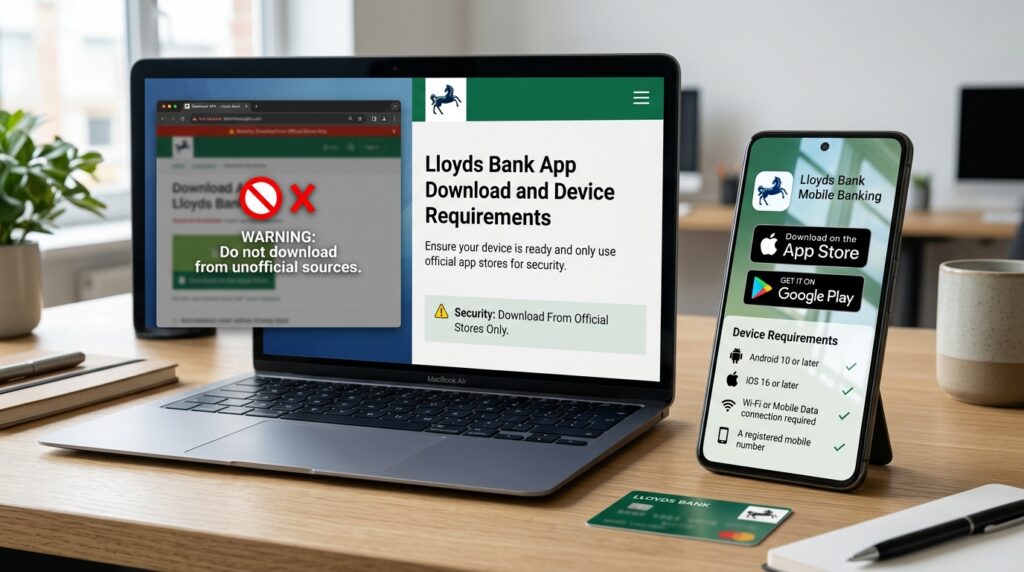
For a Lloyds Bank app download, use the official Apple App Store or Google Play. Lloyds says you need an Apple App Store or Google Play account. You also need Wi-Fi or mobile data and a current phone number registered with the bank. Avoid downloading banking apps through unofficial APK sites or unknown download pages. Fake banking apps can be used to steal passwords or personal details. Lloyds itself advises customers to download apps only from genuine sources.
People searching for a Lloyds Bank app for Android free download should use Google Play. The official app itself does not need a separate paid download from another website. Lloyds currently lists Android 10 as the minimum Android version in its mobile banking guidance. Its guidance also lists iOS 16 as the minimum Apple version. These requirements can change as older systems stop getting security support. Check the current Google Play or App Store listing before installing the app.
Lloyds Bank App Login and Registration
Your Lloyds Bank app login uses the same online banking details you use on a computer. Lloyds says customers can use their username, password, and memorable information across computer and mobile access. A new device must first be registered before you can use it normally. You also need an up-to-date phone number because Lloyds may use it during security checks. Once registration is complete, supported biometric options can make later logins faster.
Biometric login can use a fingerprint or supported face recognition. This does not remove the need to keep your normal banking details secure. Lloyds also uses extra checks for actions such as online banking logins, some online shopping, and payments to new people. These checks help Lloyds confirm that the person making the request is really the account holder. If you change your phone, you normally need to download the app again and register that device.
What You Can Do in the Lloyds Bank App
The app covers many common banking jobs. You can view balances and open an account to see recent and older transactions. Lloyds also supports card management, app notifications, payments, and access to statements. Its accessibility guidance says customers can freeze some card transactions, view debit card details, and pay in eligible cheques through the app. Some tools depend on your account type and current eligibility.
The app also includes tools for broader money management. Lloyds currently highlights spending insights, upcoming payments, subscription management, and account notifications. Customers can also message Lloyds through the digital service. Some app areas may show borrowing, mortgage, insurance, or other products linked to the customer. That does not mean every user receives every feature. What appears in your app depends on the products you hold and the services Lloyds makes available to you.

Lloyds Bank App Savings Tools
The Lloyds Bank app savings tools are mainly found in its Save & Invest area. Lloyds says customers can move money into or out of their savings accounts there. The app can also show savings accounts held with other banks in supported cases. This can give users a broader view of their savings. Lloyds also provides guides and tools designed to help customers manage saving and investing goals.
Lloyds also promotes tools such as spending insights and upcoming payment information. These can help you understand what money is coming in and going out. Its wider money guidance includes savings calculators and budgeting ideas such as the 50-30-20 approach. Not every budgeting tool is necessarily an app-only feature, so check where Lloyds currently provides each service. A simple approach is to review regular spending first, then decide how much you can move into savings without affecting key bills.
Is the Lloyds Bank App Down Today?
People often search “is Lloyds Bank app down” when login pages stop loading or payments fail. The quickest official check is Lloyds Bank’s service status page. It lists planned work and updates about outages affecting mobile banking and other services. At the time this guide was checked on September 23, 2026, Lloyds showed no planned work for its personal mobile banking app. That can change at any time, so a live status check is more useful than an old outage report.
If the status page shows an outage, repeated reinstalling may not help. The problem could be affecting many customers rather than your phone. Wait until Lloyds reports that the service has recovered, then try again. If the official page shows normal service, check your internet connection and phone software instead. You can also test Lloyds online banking from a trusted computer. This helps separate a general Lloyds Bank app problem from an issue limited to your device.
Why Is the Lloyds Bank App Not Working?
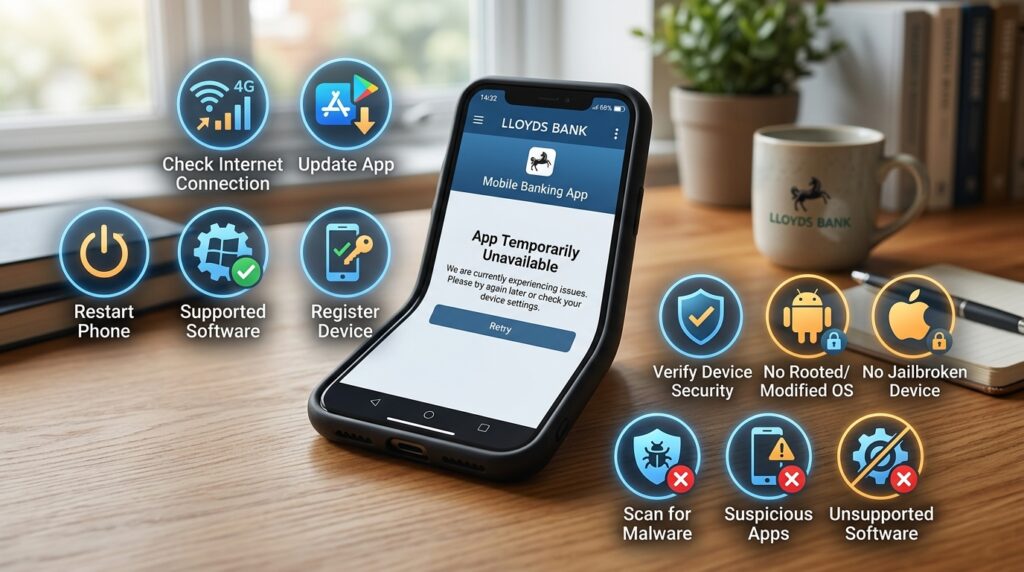
If the Lloyds Bank app is not working today, start with basic checks. Make sure your internet connection works and confirm that your phone software is supported. Then check whether an app update is waiting in your official app store. Restarting the phone may also clear a temporary software problem. If you changed phones recently, remember that the new device must be registered before normal access works. Lloyds allows its app to be registered on multiple supported devices, but each device needs its own registration.
Some problems happen because Lloyds considers a device unsafe. The bank says its app does not work on rooted Android devices or jailbroken Apple devices. Lloyds may also block access if it detects certain security settings, suspicious software, or malware. Android users can face problems when developer settings, custom operating systems, or other changes affect device security. If Lloyds gives you a security warning, follow its device security guidance rather than trying random fixes from forums.
Lloyds Bank App Not Working on Android
Android problems can have several causes. First, check your Android version against the current requirement shown by Lloyds and Google Play. Lloyds currently says Android 10 is its minimum supported version. You should also install available Android security updates and the latest Lloyds app update. If your phone cannot run a supported Android version, updating only the banking app may not solve the problem. Older devices can lose app support as security requirements change.
Lloyds also checks Android devices for security risks. Its guidance says custom operating systems, rooting, malware, and some developer settings can lead to blocked access. Lloyds specifically advises users to check settings such as OEM unlocking when a device is flagged. If the app still will not open, use a trusted laptop or another secure device for online banking. Do not use unofficial modified versions of the Lloyds app as a workaround.
Lloyds Bank App Update and Security
A Lloyds Bank app update download should come from Google Play or the Apple App Store. Updates can fix faults, support newer phone software, and add security changes. Lloyds may also stop supporting older operating systems when those systems no longer receive enough security support. If you have automatic app updates turned off, check your official app store when the app suddenly stops working after a phone system change.
Security also depends on how you use your phone. Keep your banking details private and use a strong lock on the device. Lloyds advises customers to be careful with links and attachments in unexpected messages. It also recommends keeping device software up to date and downloading apps only from trusted sources. If someone contacts you claiming to be Lloyds, do not give them security details just because the message looks official. Use Lloyds’ official contact routes when you need to confirm a request.
Frequently Asked Questions
Can I use the Lloyds Bank app on more than one phone?
Yes. Lloyds says customers can register the app on up to ten supported Apple iOS and Android devices. Each device must be registered before it can access your banking.
Do I need a Lloyds branch visit to start using the app?
Not in every case. The app works with Lloyds online banking, and eligible customers can register through digital banking services. Some account or identity situations may still need extra checks.
Can I use the Lloyds Bank app without mobile data?
You need an internet connection. Wi-Fi can be used instead of mobile data, so mobile data is not required when a suitable Wi-Fi connection is available.
What happens if I lose my phone?
Lloyds tells customers to contact the bank if a phone is lost or stolen. The bank can then take steps to stop someone using that device to access your accounts.
Can I use the app after changing my mobile number?
You may continue using the same phone, but Lloyds advises customers to update their registered number. The bank may need the new number for security checks and future device registration.
Can I still bank if the Lloyds app will not open?
In many cases, yes. Lloyds says customers can use online banking from a trusted computer or other suitable device when the mobile app cannot be used. Availability still depends on the service status and your account access.
Final Thoughts
The Lloyds Bank app brings many everyday banking tasks into one mobile service. You can check balances, review transactions, manage certain card settings, make payments, and use money management tools. Savings features are also available through the Save & Invest area for eligible customers. The exact features you see may depend on your accounts, device, and Lloyds’ current services.
If the app stops working, first check Lloyds’ official service status. Then check your internet connection, phone software, app version, and device security. Android users should pay special attention to rooting, custom software, and developer settings. Download updates only through official stores, and check Lloyds’ current guidance when an important feature or requirement has changed.
Disclaimer
This article is for general information and was written with AI assistance. Lloyds Bank features, device rules, service status, and security guidance may change. This guide may not cover every account or situation. Check important or current details through Lloyds Bank and other trusted official sources before relying on them.