

Reading is a huge part of school life, and many kids today read on phones or tablets instead of paper books. That is where the Sora app comes in to help. It is a free app made just for schools, and it helps kids read books, listen to stories, and keep track of what they finish. This guide is for students who want to know how it works and for teachers who want to use it in class. By the end, you will know what Sora is, how to start, and why schools love it so much. Schools have always wanted to give books to every student, and Sora helps them do that in a fun way. Whether you are a curious kid or a teacher looking for a new tool, this guide will show you everything step by step.
What Exactly Is the Sora App?
The Sora app is a digital library made just for schools. It was made by OverDrive, a company that helps libraries share books. Students can use the app to borrow e-books and audiobooks from their school library from home. The app is easy to use, and it works on phones, tablets, and computers. So a student can read on the bus, in class, or in bed without a heavy backpack. It is a fun way to read every day, anywhere. The app also keeps track of what each student has read, so teachers can cheer them on. OverDrive made the app to help schools grow a love of reading, and that is why it is popular in classrooms all around the world.

Why Schools Across the UK and Beyond Use Sora
In the UK and many other countries, schools are using the Sora app more than ever before. The biggest reason is that every kid gets the same chance to read good books, even if their home does not have many. Some children do not own lots of books, but with Sora they can take one out whenever they like. Teachers really like it because it makes reading feel fresh and fun, especially for students who do not love paper books. More schools have chosen Sora as their main reading tool because it helps kids enjoy stories. UK schools have used Sora to bring reading online, and it has worked very well. This means that no matter if a student lives in a big city or a small town, they can all enjoy the same books at the same time.
How the Sora App Interface Works
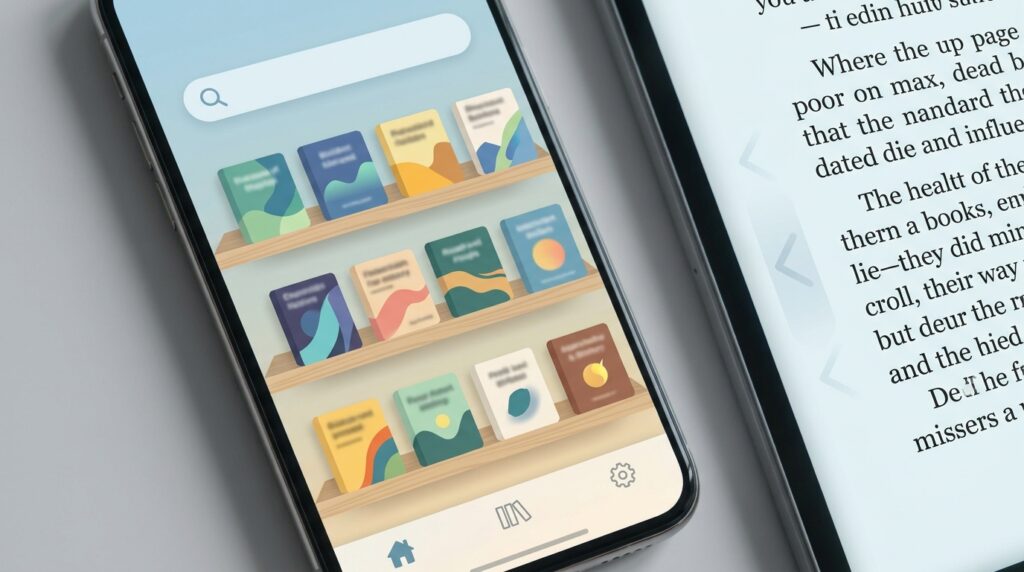
When you first open the Sora app, you will see a clean home screen with a big search bar at the top. Underneath that, there are rows of book covers that you can scroll through, like looking at a shelf in a real library. The menu button sits at the bottom of the screen, and it lets you jump to your bookshelf or settings without any trouble. This means that even kids who have never used a reading app can figure it out fast. The buttons are big, the colors are calm, and nothing feels too crowded. The reading screen itself is also very simple, with words taking up most of the page and just a few buttons to turn pages. This friendly design is why the Sora app feels welcoming for students of all ages, even those who have never used an app like this before.
How Students Get Started with Sora
Getting started with the Sora app is very easy, and it only takes a few quick steps. First, a student downloads the app from the App Store or Google Play on their phone or tablet. Next, they type in the name of their school and pick the right one from the list. After that, they sign in using their school account, which is often given to them by their teacher. Finally, they can pick a book from the school library and tap the borrow button to start reading right away. It really is that simple, and most students are reading their first book within five minutes. If a student gets stuck, their teacher or parent can help them sign in the first time, and after that they can do it alone. This easy start is one of the best things about Sora, because kids do not get frustrated and can jump right into fun stories.
How Teachers Use Sora in the Classroom
Teachers love the Sora app because it helps them guide their students in a smart way. With Sora, a teacher can see which books each student has borrowed and how much they have read. This means teachers can cheer on students who are reading a lot and gently remind others to keep going. They can also create special reading lists for the whole class, so every student reads the same book, which makes class talks easier. In addition, teachers can look at reports to see how the class is doing, and they can use that to plan future lessons. Over time, this helps build strong reading habits that last well beyond one school year. Many teachers say that Sora makes their job easier and helps them spend more time teaching instead of chasing down books.
Offline Reading on the Sora App
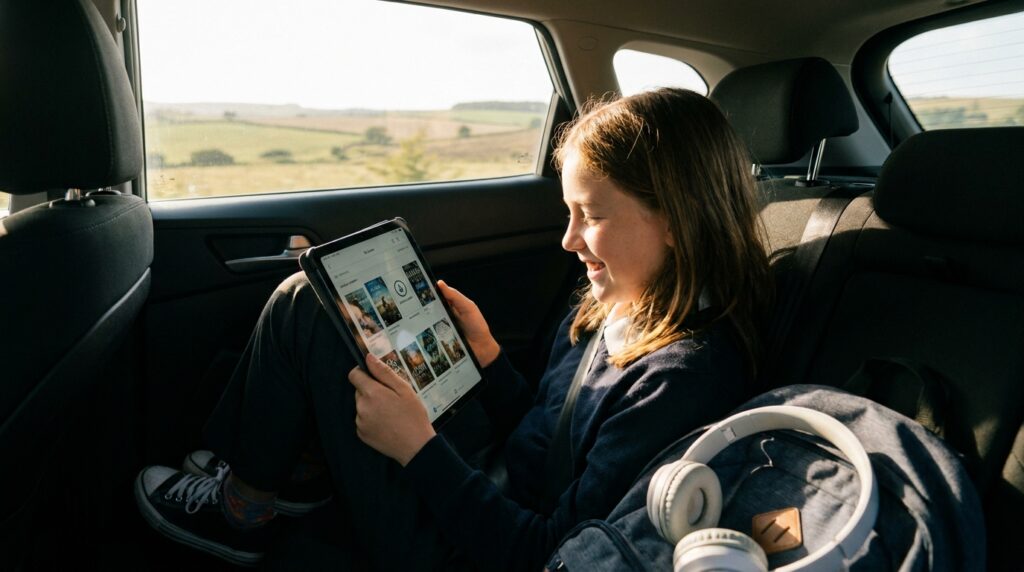
Sometimes students do not have Wi-Fi, and that is okay because the Sora app has a wonderful offline feature. Offline reading means that kids can download books to their device so they can read without internet at all. For example, a student can download a book at home before a long car ride, and then read the whole way without using data. This is one of the most loved features for students who travel a lot or live in places with weak internet. All you have to do is tap the download button, and it will save to your shelf so you can read it later. The books stay on the device until the loan time ends, so there is no need to worry about losing them. This makes offline reading perfect for plane rides, camping trips, or quiet time away from screens.
Sora App for Android Users
The Sora app for Android works really well on phones and tablets made by Samsung, Google, and many other brands. Android users can find the app in the Google Play Store and install it in seconds, which makes it easy to start. The app runs smoothly on most Android devices, so pages turn quickly and the screen looks bright for reading. Another thing is that the app does not take up too much space, which is great for students who do not have much room on their device. For parents who want to know, the Sora app for Android is free to download and use with a school account, so there are no surprise costs. The reading experience on Android is just as good as on other devices, and features like bookmarks work the same way. That is why so many students who use Android choose Sora for their daily reading.
Standout Features That Make Sora Worth Using
The Sora app has many features that help students enjoy reading more than ever before. One fun feature is the achievement badges, which are little rewards you earn when you finish a book or read for many days. These badges feel like small prizes that keep students excited about reaching goals. There is also a built-in dictionary, so if a student sees a tricky word, they can tap it and learn what it means right away. Also, the app lets kids change the font size and background color so the words are easy on their eyes, especially at night. Another great feature is the ability to add bookmarks and notes, so students can come back to favorite spots in a book. That is why so many students and teachers say Sora is worth using every day, because it turns reading into a fun adventure rather than just a task.
Tips for Getting the Most Out of Sora
Here are a few simple tips to help students and teachers get the best experience with the Sora app. First, students should try different font sizes to find the one that feels most comfy to read for a long time. Next, teachers can set personal reading goals for their class to keep everyone excited about books. Another good tip is to download books before leaving home so you always have something to read, even without Wi-Fi. In addition, students should explore different genres like mystery, fantasy, and funny stories to find what they truly love, because reading is fun when you pick books you like. Also, setting up the right background color can make reading easier on the eyes, especially before bed. Over time, these small habits can turn any student into a reading star who looks forward to opening Sora every day. Teachers can also check stats often to find out which books are working well.
Common Questions About the Sora App
Is the Sora app free to use?
Yes, the Sora app is free for students whose schools have signed up for it. The school pays for the books, so students do not spend any money at all. This makes it a great choice for families who want to save cash while still enjoying good stories.
Can students read books without internet?
Yes, students can download books to their device and read them offline anytime they want. This works perfectly even on a plane, on a train, or in the car without using any data. It is a handy feature for long trips where Wi-Fi is not available.
What kind of books are on Sora?
Sora has thousands of e-books and audiobooks for you to choose from. You will find school reading lists, fun fiction, interesting non-fiction, and colorful graphic novels. There is truly something for every kind of reader, no matter what you like to read.
Do teachers need a separate account?
Yes, teachers usually sign in with a special teacher account. This lets them see what their students are reading and assign specific books to the class. It helps keep everyone on track and makes it easier to plan fun group discussions about the stories.
Can parents see what their child is reading?
Parents can always ask their child to show them the app to see the current books. In some schools, parents can also sign in with their own library card to read alongside their kids. This allows families to enjoy the same books together and talk about the stories at home.
Does the Sora app work on iPads too?
Yes, the Sora app works on iPads, iPhones, Android phones, tablets, Chromebooks, and computers. Almost any device will work just fine for reading your favorite books. You can switch between devices easily if you want to start reading on one and finish on another.
Are there audiobooks on Sora?
Yes, many books on Sora have audio versions that students can listen to instead of reading. This is great for kids who love hearing stories read aloud by professional narrators. It is also perfect for long trips where you might want to rest your eyes and just listen.
How long can a student keep a book?
Most schools let students keep a borrowed book for about two weeks at a time. However, the time can be different depending on the specific rules of your school library. Some books can be renewed if you need more time to finish the story, so check your app for details.
Final Thoughts
The Sora app is one of the easiest and friendliest ways for students to enjoy reading, both in school and at home. It gives every child a big shelf of books right in their pocket, and it helps teachers guide their students in a kind way. From offline reading to fun reading badges, there is something for everyone to enjoy, no matter what kind of reader you are. So why not give the Sora app a try today? A whole world of stories is just a tap away, and the next great adventure could be waiting on the screen. Reading should always be fun, and the Sora app helps make that happen for thousands of students every day, which is something truly worth celebrating.
Disclaimer
This article is for general information only and is not officially linked to OverDrive or the Sora app. Details like features, prices, and school access may change over time, so always check the official Sora website or your school for the most current information before making choices.