

There is something magical about the era we live in the age of technology and the boundless opportunities it creates. One of the perks of the modern age is discovering different types of music and listening to your favorite radio stations in a more accessible way. Fortunately, there are online platforms offering a wide variety of functions for music lovers. For instance, iHeartRadio is a software application (app) designed to stream different radio stations, create custom playlists, and listen to podcasts. This guide will tell you everything you need to know about the iHeartRadio app. We will explore what the app is used for, discuss how to use it, and discover the interface. Moreover, we will provide specific instructions for different devices, including iPhones, and androids phones and laptops. No matter how inexperienced one is with technology, he or she will be able to successfully download the app, customize a list of favorite songs or radio stations and enjoy the process of streaming. This guide provides all the necessary information to start listening to the radio in a new way and become addicted to the beautiful content curated by iHeartRadio.
The What and Why of the iHeartRadio App
The iHeartRadio app is a technological miracle, providing access to thousands of radio stations online. The creators of the app managed to digitize the traditional concept of listening to the radio and deliver it to users in a substantially improved form. Instead of purchasing a radio station box, one can now listen to the radio through a phone or laptop. The app allows users to customize their experience of listening to the radio. One can select favorite radio channels that will appear on their device or choose a particular music genre and enjoy their favorite songs and stories curated especially for him or her. Thanks to cutting-edge technologies used in the application, users experience a high-quality product, offering a wide variety of stations. Another advantage of the app is that it is easy to use and perfect for beginner-level technologists. With the help of iHeartRadio, one can discover how amazing it is to listen to radio broadcasts and find his or her favorite music genres.
How to Install and Customize the Application
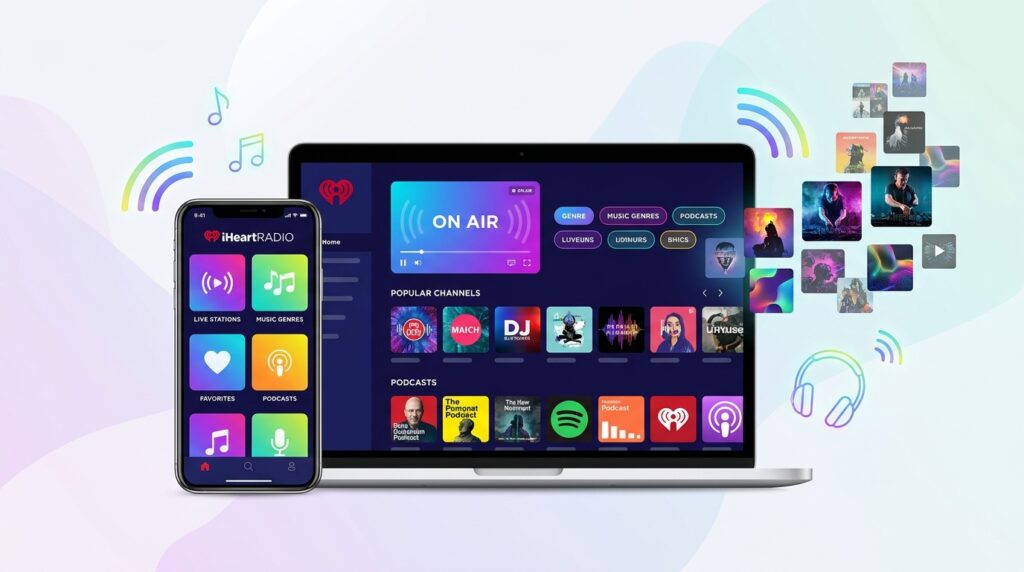
The process of downloading the app and customizing the content is a breeze to complete. Anyone who owns a mobile phone or a laptop can use the iHeartRadio service. In the case of a mobile phone, one will find the application in the phone’s application store. Depending on whether the phone is android or iphone, the user will select either Google Play Store or App Store. Then, he or she will search for the iHeartRadio app and install it on the phone. The customization process will occur automatically as the phone will recognize the user’s preferences. It is a good idea to personalize the app by selecting the favorite stations or by choosing the favorite music genres. In doing so, the user will be able to access these lists of radio stations and songs anytime and anywhere. In case the user is not an android or iphone user but owns a laptop or a PC, he or she will be able to listen to the radio and create custom playlists. This process is also straightforward because it only requires visiting the app’s website and entering the username and password to access the application. All in all, anyone who wants to install the app and personalize the content will be able to do so without experiencing technical difficulties.
The Cost and Data Usage of the iHeartRadio App
One of the worries that potential users may have is whether the app has any cost or data usage. It is important to note that the iHeartRadio app is free, however, it utilizes data to function. Listening to music or radio via the app will consume data, which means that people who listen to the radio offline will be unable to listen to the iHeartRadio app for free. Fortunately, if the user has access to wi-fi, he or she will not incur any costs associated with data usage. This is because Wi-Fi networks typically do not charge users for data consumption. However, if one has connected his or her phone to a mobile network and accidentally uses the iHeartRadio app, he or she may incur substantial fees. This is especially true if one has subscribed to a low-cost mobile plan. Therefore, users should be aware of the data costs and subscribe to a mobile plan that suits their needs.
Exploring the iHeartRadio App’s Interface
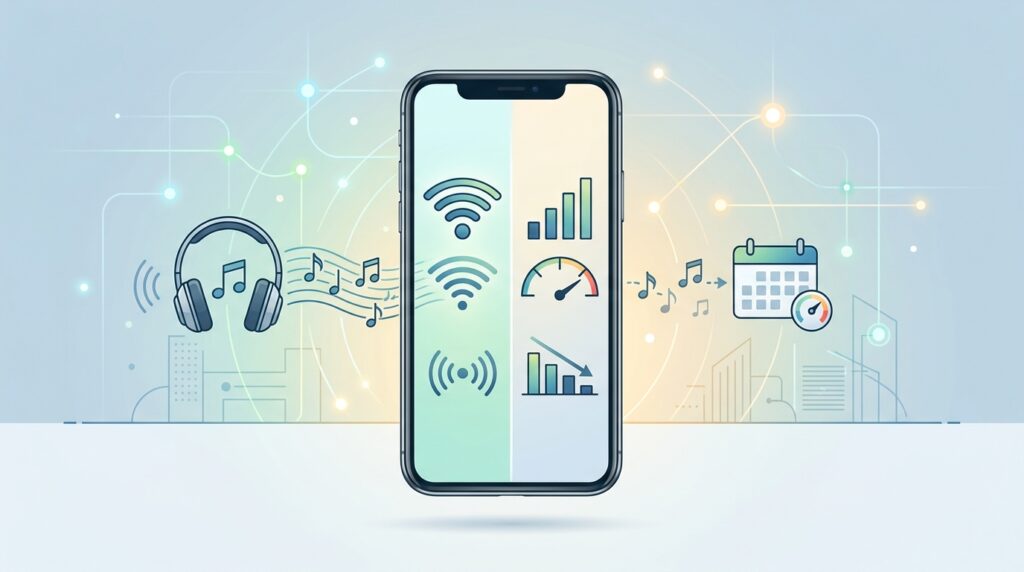
The app’s interface is easy to navigate because the menu is clear and the buttons are easy to press. From the beginning, the design of the app is intuitive because it is evident what each part does. For instance, the first screen will have a list of radio stations and songs. The interface is user-friendly and perfect for those who have just downloaded the app. In the center of the screen, there are buttons labeled Live Radio, Custom Stations, and Podcasts. These buttons indicate the main features and functions of the app. Therefore, the user will be able to press these buttons and explore each feature of the application. It is easy to navigate inside the app by simply pressing the desired buttons. Additionally, users are not required to have advanced knowledge of how the app works. For instance, the buttons are clearly labeled, allowing the users to identify the purpose of each button. Furthermore, the interface is personalized for each user and helps him or her explore the functions of the app. Therefore, a beginner-level user will not get lost and will be able to utilize the application’s wide variety of functions.
The Magic of Customized Playlists
Customized playlists are one of the most fascinating features of the iHeartRadio app. Unlike the traditional radio, the app allows users to create custom playlists or to choose specific songs and music genres that they would like to hear. For instance, the user chooses his or her favorite singer, song, or music genre. Then, the app will play other songs and playlists that are similar to the selected one. This is done through advanced algorithms that analyze users’ music and radio preferences. The magic of the iHeartRadio app is that it allows people to discover new music genres and songs that they have not heard yet. Additionally, the app allows users to save these playlists so that they can be accessed in the future. The customization feature offers a high degree of convenience to users because it avoids the need to search for stations and songs. By simply selecting the favorite music genres and songs, people can create playlists and listen to their favorite music for hours. Therefore, it is possible to say that the app’s customization feature creates a personalized music experience.

The Potential Technical Issues with iHeartRadio App
It is also important to mention that sometimes the application may have technical issues or errors, which can be bothersome. For instance, the app may stop functioning or start working slowly because of a poor connection. Fortunately, most issues are easily resolved without spending much time on troubleshooting. The first thing to do when the app stops working is to check the internet connection and ensure that it is strong and stable. The user may restart the app or simply turn off and on the phone. If the problem persists, the user may try to update the app to the newest version. Alternatively, if the user is on an android or iphone, he or she can delete the app and re-install it. For those who use the app via a web-based application (on their PC or laptop), they may refresh the page or clear the browser history. These solutions typically work and resolve most issues with the application. Additionally, users are encouraged to update the application to the newest version because these updates typically fix problems and errors.
Frequently Asked Questions (FAQ)
Does the app work on all devices?
The app works on all devices ranging from mobile phones to laptops and computers. Those who are using and iPhone or android phones will be able to download the app from their respective application stores. In addition, those who are using a PC or a laptop will be able to visit the iHeartRadio website and enter their credentials to gain access to the application.
Is there a paid version of the app?
The app has a free version and a paid version, where the latter offers additional services. The free version allows users to use most of the features, whereas the paid version offers more benefits.
Can I listen to international radio stations?
The app is focused on providing access to radio stations within the United States. However, it also offers limited international content.
How can I listen to podcasts?
The podcasts are located in the podcasts section of the main menu. Once again, there are several lists of podcasts, and users can search for specific podcasts. Additionally, the podcasts can be customized and personalized for each user.
Does the application drain the phone battery?
The application is a typical streaming app, meaning that it utilizes the battery to operate. Therefore, it is advisable to use the application only when the phone battery is fully charged or to invest in a phone with a large battery capacity. Additionally, users can use earphones to listen to the radio and music instead of using the phone’s speaker. To conserve battery power, users can lower the brightness of the screen or utilize the Wi-Fi network rather than the mobile network.
Can I share my favorite stations or songs?
Yes, the app allows sharing favorite stations and songs. This is a great way to share music and enjoy new content with friends and family members. [Add your own example or image here]
Conclusion and the Final Thoughts
Now that you have learned everything you need to know about the iHeartRadio app, it is time to explore new opportunities and enjoy the wide range of radio stations and music genres. Do not be afraid to explore the wide range of functions offered by the app. Create custom playlists or songs and save your favorite stations and playlists. You can also try to explore podcasts or new music genres and get familiar with fresh content every day. The app is an outstanding discovery that will enable you to enjoy your free time and become addicted to listening to the radio in a new way. Above all, stay curious and continue exploring the fascinating world of iHeartRadio.
Disclaimer
This article is for informational purposes only. Features and availability of the iHeartRadio app may change over time. Always check the official website or app store for the most current information and terms of service